The Largest Curatorial Library
With Plugins Muse Widgets

Pop-up Container Adobe Muse Widget

Pop-up Container Adobe Muse Widget

This widget allows you to display a Pop-up window that locks the rest of the page until the page visitor closes it. So it’s great for placing promotions, ads or some other important information. The design of the pop-up window can be created directly in Muse, so it will look awesome and will match your website. Just use the provided container as canvas to create the design for your Pop-up window and then adjust various additional options in the widget panel. You can can create any design that you wish for your Pop-up window by placing text, images, videos, shapes, buttons and any other kind of elements into the provided container.

Created Oct 26, 2015 · Updated Mar 31, 2016 · ★ 5.00 (5) · 193 sales

Audio Player Adobe Muse Widget

Audio Player Adobe Muse Widget

This widget allows you to add Audio Player into your Muse sites. With this player, you will be able to host your own audio files and to play them on your websites. This player is very modern, interactive and contains some awesome effects. It is also very compact, as it minimizes itself when the audio file is paused. Moreover, you will be able to customize player’s colors, change the appearance and adjust various other options.

Created Dec 12, 2015 · Updated Dec 16, 2015 · 42 sales

Scroll To Top - Muse Widget

Scroll To Top - Muse Widget

Designingmedia muse presents Unique Widget for Adobe Muse – Scroll To Top Button for responsive as well as fixed pages website. our Widget will work with adobe muse version starting from 2015.2.x to latest. As you know, the problem of the responsive layout of the website in Muse is the lack of scrolling up. Now it’s no longer a problem. This widget allows you to perform scrolling in each breakpoint point. There is no need to anchor The widget is very easy to use, has few settings and most importantly – do not need to create a anchor or even to adjust it on all pages and at every breakpoint fixed or fluid page what ever it may be. Just place the widget on to the page and configure according to the instructions.addition in the widget is the shifting to a speacfic place in the page. Another IMPORTANT thing is that you can set any object to be clickable back to top just set the grapic style and your good to go.

Created Mar 13, 2017 · Updated Jul 27, 2017 · 26 sales

16x Adobe Muse Widgets by Rosea Themes

16x Adobe Muse Widgets by Rosea Themes

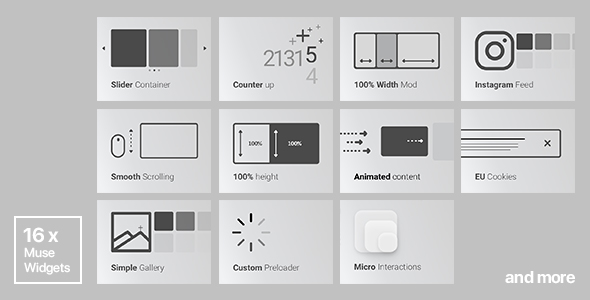
1. Animated Content (27 effects) 2. Simple Gallery (with multiple photos upload functionality) 3. Slider ContainerUPDATED 4. Instagram Feed 5. Countdown Widget 6. Counter up 7. Full Width Mod (e.g: you can create full width portfolio) 8. 100% Height Mod and percentage height of the browser. 9. EU Cookie Consent Widget 10. Custom Preloader 11. Sticky Navigation 12. Micro Interactions 13. Custom Hide/Show Sidebar 14. 4 Image Hover Effects 15.Auto Anchor Navigation 16.Video Background WidgetNEW

Created Dec 23, 2025

Multicolor Countdown for Adobe Muse.

Multicolor Countdown for Adobe Muse.

This tool is the the timers which comes with flipping animation. You can adjust the color of the back panel so that it has changed over time. Or you can use a static color. The colors are set to digits, the rear panel and signatures. It uses vector data to draw the digits and the panels of the countdown, there is no change in the quality of the displayed drawings when it gets resized.

Created Mar 23, 2016 · Updated Jun 3, 2019 · ★ 5.00 (3) · 101 sales