The Largest Curatorial Library
With Mobile Http

Flutter PRO QR Code Scanner

Flutter PRO QR Code Scanner

Flutter is Google’s UI toolkit for building beautiful, natively compiled applications for mobile, web, and desktop from a single codebase. Flutter is an open-source mobile application It is used to develop applications for Android and iOS, as well as being the primary method of creating applications for Google Fuchsia, Flutter widgets incorporate all critical platform differences such as scrolling, navigation, icons and fonts to provide full native performance on both iOS and Android.

Created Feb 11, 2020 · Updated Apr 2, 2022 · 33 sales

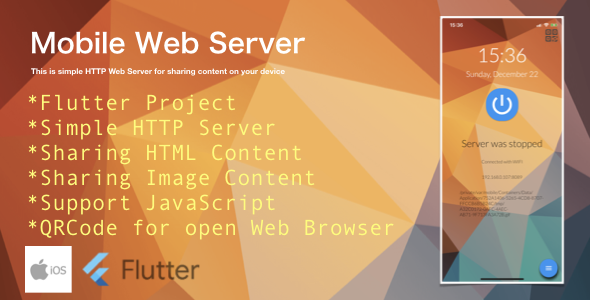
Mobile Web Server (HTTP server on Device) for iOS

Mobile Web Server (HTTP server on Device) for iOS

Mobile Web Server is a lightweight and fast Web Server especially designed for iOS mobile devices. It can be used to host websites and to serve files over HTTP. A HTML file MUST be selected as the startup page by browsing the device directory. Once the Mobile Web Server is started, a web page should be able to open according to the WIFI IP address. The Port is fixed as 8089. Thus, the URL should be in this format “https://<wifi-ip-address>:8089”. To make Mobile Web Server as a public server, a dynamic DNS server should be subscribed from Internet in order to get a valid public domain name. If low cost Internet service is available and every mobile phone is assigned with a dedicated IP address, why not mobile phone as your simple web hosting server? This is not an imagination picture in mind, it can be realized on coming future such as IoT on 5G. Guide to use 1. Install the APP 2. Connect to WIFI 3. Start the Mobile Web Server 4. Select a HTML file, video or image from mobile device 5. Open the URL on the browser iOS Demo: AppStore

Created Dec 24, 2025

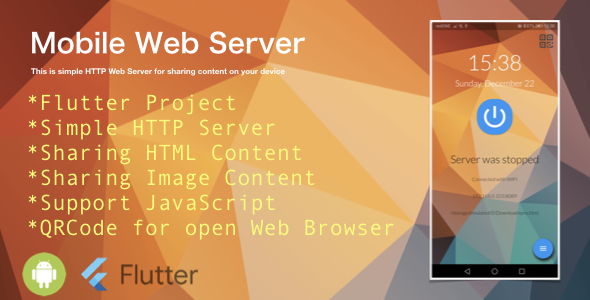
Mobile Web Server (HTTP server on Device) for Android

Mobile Web Server (HTTP server on Device) for Android

Mobile Web Server is a lightweight and fast Web Server especially designed for android mobile devices. It can be used to host websites and to serve files over HTTP. A HTML file MUST be selected as the startup page by browsing the device directory. Once the Mobile Web Server is started, a web page should be able to open according to the WIFI IP address. The Port is fixed as 8089. Thus, the URL should be in this format “https://<wifi-ip-address>:8089”. To make Mobile Web Server as a public server, a dynamic DNS server should be subscribed from Internet in order to get a valid public domain name. Besides, user can share his/her mobile content with the QRCode either HTML file or Image file to his/her friends or teacher to students. If low cost Internet service is available and every mobile phone is assigned with a dedicated IP address, why not mobile phone as your simple web hosting server? This is not an imagination picture in mind, it can be realized on coming future such as IoT on 5G.

Created Dec 24, 2025

Ion-Press - A Wordpress to Native Ionic iOS & Android App with GEO Location Push messages and more..

Ion-Press - A Wordpress to Native Ionic iOS & Android App with GEO Location Push messages and more..

It comes with a very powerful api which talk’s to your existing wordpress database along with Content Management System which will manage all users , option to send GEO Location push messages and a native Ionic code which works on your iOS ,Android and Windows as well ( We have tested for iOS & Android only ) . Also shipped with ton of plugins.

Created Oct 17, 2016 · ★ 1.00 (3) · 24 sales