The Largest Curatorial Library
With Ios Uikit

MapNavi - Maps & Navigation UI KIT for Sketch

MapNavi - Maps & Navigation UI KIT for Sketch

How To Use Sketch Files You just need to download some appropriate images from the image bank or given below links (www.shutterstock.com or www.pexels.com ). Just place the images into sketch file. You can also edit any text, Navigation Menu, color or any font file by double click and change the same. Make sure your image sizes are as per the mentioned sizes in the sketch file. You can also download the trial version of sketch from here. https://www.sketchapp.com/ Sketch Version 40+ Graphic Used Many thanks for these great images to: www.shutterstock.com Note: All images are just used for Preview Purpose Only. They are not part of the website template and NOT included in the final purchase files.

Created Mar 22, 2018 · 20 sales

Xiao Mobile UI Kit for Sketch

Xiao Mobile UI Kit for Sketch

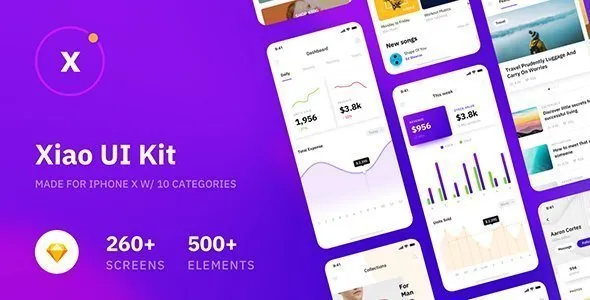
Xiao UI Kit contains 260+ Prebuilt iOS Light & Dark Screens in 10 Categories (Walkthrough, Signup & Login, Profile, Feeds, Articles, Social, Navigation, E-commerce, Media, Dashboard) Designed by Sketch, Adobe XD, Figma and Photoshop.Xiao UI Kit is neatly grouped, named and organized accordingly so its very easy to change any and all of the design. Xiao UI Kit is a beautiful, unique and trendy Mobile UI Kit. It will help you save tons of time building your products.

Created Dec 24, 2025

Passio - Huge Layout Collection and UI Kit Library for Web & App Design

Passio - Huge Layout Collection and UI Kit Library for Web & App Design

Passio is Huge Layout Collection and UI Kit Library for Web and App Design Projects that contains a great number of components that fit together perfectly for Sketch App. Passio comes with clean design, colorful elements, and stylish content. All the layouts are really easy to combine and customize, also, you can create your own layout using the hundreds of ready to use components built into this UI Kit.

Created Aug 22, 2018 · 16 sales

Musica - Music , Video & Entertainment UI KIT for Sketch

Musica - Music , Video & Entertainment UI KIT for Sketch

How To Use Sketch Files You just need to download some appropriate images from the image bank or given below links (www.shutterstock.com or www.pexels.com ). Just place the images into sketch file. You can also edit any text, Navigation Menu, color or any font file by double click and change the same. Make sure your image sizes are as per the mentioned sizes in the sketch file. You can also download the trial version of sketch from here. https://www.sketchapp.com/ Sketch Version 40+ Graphic Used Many thanks for these great images to: www.shutterstock.com Note: All images are just used for Preview Purpose Only. They are not part of the website template and NOT included in the final purchase files.

Created Jun 19, 2018 · 12 sales

FoodRest - Food & Resto UI KIT for Sketch

FoodRest - Food & Resto UI KIT for Sketch

How To Use Sketch Files You just need to download some appropriate images from the image bank or given below links (www.shutterstock.com or www.pexels.com ). Just place the images into sketch file. You can also edit any text, Navigation Menu, color or any font file by double click and change the same. Make sure your image sizes are as per the mentioned sizes in the sketch file. You can also download the trial version of sketch from here. https://www.sketchapp.com/ Sketch Version 40+ Graphic Used Many thanks for these great images to: www.shutterstock.com Note: All images are just used for Preview Purpose Only. They are not part of the website template and NOT included in the final purchase files.

Created Mar 28, 2018 · 4 sales

LetsGo Traveler | All in One Travel Sketch UI kit

LetsGo Traveler | All in One Travel Sketch UI kit

The “LetsGo Traveler | All in One Travel Sketch UI kit” is one solututions for all your travel and holiday business. It is made with creative, clean & modern vision. The mobile UI kit is design in Sketch 3.6 and with a highly professional process to make it easy to modify and redesign. The apple mac platform software sketch app gives you a full control over every elements and you have a wide range of possiblities to modify every elements and gives your creative magic touch. 100% vector elements gives you more control over every bit of graphics changes.

Created Mar 24, 2016 · Updated Apr 12, 2016 · ★ 0.00 (1) · 52 sales