The Largest Curatorial Library
With Ios Ui Templates

Prokit - Flutter App UI Kit

Prokit - Flutter App UI Kit

ProKit – Biggest Flutter UI kits with working ChatGPT app is the ultimate library of Flutter UI templates combined into a high-quality Flutter UI kit for Android/iOS developers. The collection consists of UI elements and styles based on Material Design Guidelines. With its clean and direct effect, this set of mixed App UI design easily becomes your standalone solution. Design different screens easily by customizing templates. Get this best Flutter UI templates, combine and edit any UI element, text, or image, save your time and efforts with these well-thought pre-designed elements and just launch your app. This Flutter UI kit with working ChatGPT app has everything you will need for a faster workflow and better results are just right here. Get started now!

Created Feb 19, 2020 · Updated Apr 27, 2026 · ★ 4.50 (125) · 4K sales

MapNavi - Maps & Navigation UI KIT for Sketch

MapNavi - Maps & Navigation UI KIT for Sketch

How To Use Sketch Files You just need to download some appropriate images from the image bank or given below links (www.shutterstock.com or www.pexels.com ). Just place the images into sketch file. You can also edit any text, Navigation Menu, color or any font file by double click and change the same. Make sure your image sizes are as per the mentioned sizes in the sketch file. You can also download the trial version of sketch from here. https://www.sketchapp.com/ Sketch Version 40+ Graphic Used Many thanks for these great images to: www.shutterstock.com Note: All images are just used for Preview Purpose Only. They are not part of the website template and NOT included in the final purchase files.

Created Mar 22, 2018 · 20 sales

Prokit - iOS App UI Kit with SoftUI

Prokit - iOS App UI Kit with SoftUI

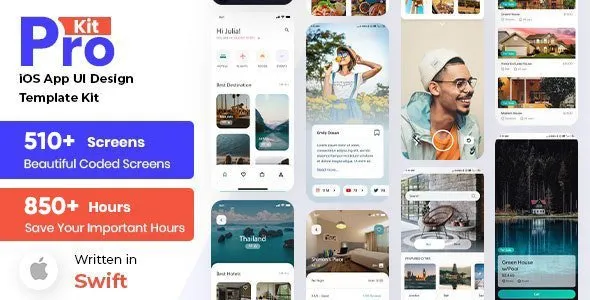
Prokit – iOS UI Design Template Kit is the ultimate library of app templates combined into high-quality UI kit for iOS developers. With it’s clean and direct effect, this set of mix App UI design easily becomes your standalone solution. Design different screen easily by customizing templates. Get this mix App UI kit, combine and edit any UI element, text or image, save your time and efforts with these well-thought pre-designed elements and just launch your app. It has everything you will need for a faster workflow and better results are just right here. Get started now!

Created Dec 24, 2025

Musica - Music , Video & Entertainment UI KIT for Sketch

Musica - Music , Video & Entertainment UI KIT for Sketch

How To Use Sketch Files You just need to download some appropriate images from the image bank or given below links (www.shutterstock.com or www.pexels.com ). Just place the images into sketch file. You can also edit any text, Navigation Menu, color or any font file by double click and change the same. Make sure your image sizes are as per the mentioned sizes in the sketch file. You can also download the trial version of sketch from here. https://www.sketchapp.com/ Sketch Version 40+ Graphic Used Many thanks for these great images to: www.shutterstock.com Note: All images are just used for Preview Purpose Only. They are not part of the website template and NOT included in the final purchase files.

Created Jun 19, 2018 · 12 sales

FoodRest - Food & Resto UI KIT for Sketch

FoodRest - Food & Resto UI KIT for Sketch

How To Use Sketch Files You just need to download some appropriate images from the image bank or given below links (www.shutterstock.com or www.pexels.com ). Just place the images into sketch file. You can also edit any text, Navigation Menu, color or any font file by double click and change the same. Make sure your image sizes are as per the mentioned sizes in the sketch file. You can also download the trial version of sketch from here. https://www.sketchapp.com/ Sketch Version 40+ Graphic Used Many thanks for these great images to: www.shutterstock.com Note: All images are just used for Preview Purpose Only. They are not part of the website template and NOT included in the final purchase files.

Created Mar 28, 2018 · 4 sales

Travelion - Travel & Vacation UI KIT

Travelion - Travel & Vacation UI KIT

How To Use Sketch Files You just need to download some appropriate images from the image bank or given below links (www.shutterstock.com or www.pexels.com ). Just place the images into sketch file. You can also edit any text, Navigation Menu, color or any font file by double click and change the same. Make sure your image sizes are as per the mentioned sizes in the sketch file. You can also download the trial version of sketch from here. https://www.sketchapp.com/ Sketch Version 40+ Graphic Used Many thanks for these great images to: www.shutterstock.com Note: All images are just used for Preview Purpose Only. They are not part of the website template and NOT included in the final purchase files.

Created Jun 13, 2018 · 1 sale

Top 7 Ios Ui Templates tools with live demo and interactive preview off all time