The Largest Curatorial Library
With Flutter Android Ui

Flutter UI Kit for Ecommerce(Grocery App)

Flutter UI Kit for Ecommerce(Grocery App)

This is a well documented and coded UI kit for E-commerce application or you can use it for Grocery Store Application, that is ready to use for any products. Current color and typography is designed for fruits, vegetable and grocery selling apps. This UI Kit is built on Flutter, which is an open-source mobile application development framework created by Google. It is used to develop applications for Android and iOS.

Created Dec 9, 2019 · Updated Jun 3, 2020 · 21 sales

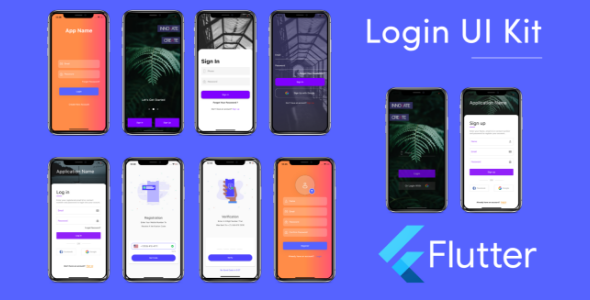
Flutter Login and Signup UI -responsive template -beautiful design

Flutter Login and Signup UI -responsive template -beautiful design

What is flutter? Flutter UI Kit Flutter is an open-source mobile application development SDK created by Google. It is used to develop applications for Android and iOS, as well as being the primary method of creating applications for Google Fuchsia, Flutter widgets incorporate all critical platform differences such as scrolling, navigation, icons and fonts to provide full native performance on both iOS and Android.

Created Jul 7, 2021 · 4 sales

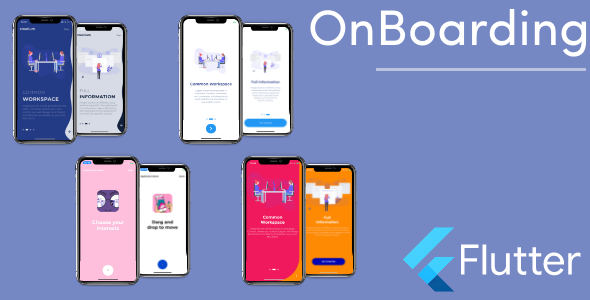
Flutter OnBoarding 6 Styles - Flutter Ui for Ios -android Collection

Flutter OnBoarding 6 Styles - Flutter Ui for Ios -android Collection

Flutter is an open-source mobile application development SDK created by Google. It is used to develop applications for Android and iOS, as well as being the primary method of creating applications for Google Fuchsia, Flutter widgets incorporate all critical platform differences such as scrolling, navigation, icons and fonts to provide full native performance on both iOS and Android.

Created Jun 24, 2020 · Updated Aug 2, 2021 · 4 sales

OnBoarding UI FLUTTER

OnBoarding UI FLUTTER

An onboarding experience is a way to introduce users to a new product, app, or feature. Onboarding UX is the design of a flow or series of flows that give the user a guided introduction to the product, set up some initial preferences, or point out critical UI elements in an interface. In our onboarding app, we provide a page that can be broadly considered a two-part page. The upper part of the page contains slide screens that define the different usages of the app. The Lottie animations in these slides are JSON files and the screens are highly responsive. The lower part contains the button for signup. There are options provided like skip, signup which gives a confirmation popup for moving onto the next screen. We used CUSTOM PAINT to get the custom shape for the container.

Created May 11, 2021 · ★ 0.00 (1) · 1 sale