The Largest Curatorial Library
With Design Ux

MapNavi - Maps & Navigation UI KIT for Sketch

MapNavi - Maps & Navigation UI KIT for Sketch

How To Use Sketch Files You just need to download some appropriate images from the image bank or given below links (www.shutterstock.com or www.pexels.com ). Just place the images into sketch file. You can also edit any text, Navigation Menu, color or any font file by double click and change the same. Make sure your image sizes are as per the mentioned sizes in the sketch file. You can also download the trial version of sketch from here. https://www.sketchapp.com/ Sketch Version 40+ Graphic Used Many thanks for these great images to: www.shutterstock.com Note: All images are just used for Preview Purpose Only. They are not part of the website template and NOT included in the final purchase files.

Created Mar 22, 2018 · 20 sales

Nova UI Kit for Sketch

Nova UI Kit for Sketch

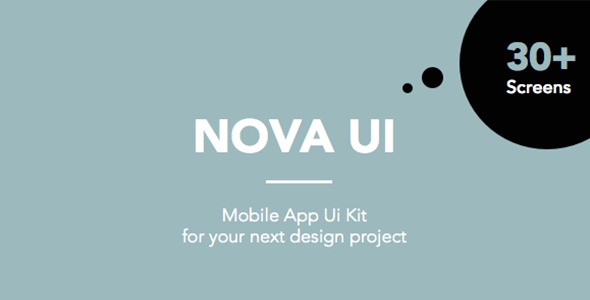
This beautiful Mobile App Ui Kit is perfect for your next design project. It is designed to be cross-platform so use this kit for your next iOS or Android project. This kit can be customised to suit your needs. From E-commerce to news to social. Just drag & drop the elements that you need. It’s super easy. Nova UI kit will give you a great kick start to any design project. What will you do with all the extra time on your hands? We have created over 30 screens to easy mix and match what you need in no time. You get over 30 screens in a complete, well names and structures sketch file. Bohemian Sketch is the best tool to create app designs. You can also download the free trial on the Bohemian Sketch website.

Created Dec 24, 2025

Passio - Huge Layout Collection and UI Kit Library for Web & App Design

Passio - Huge Layout Collection and UI Kit Library for Web & App Design

Passio is Huge Layout Collection and UI Kit Library for Web and App Design Projects that contains a great number of components that fit together perfectly for Sketch App. Passio comes with clean design, colorful elements, and stylish content. All the layouts are really easy to combine and customize, also, you can create your own layout using the hundreds of ready to use components built into this UI Kit.

Created Aug 22, 2018 · 16 sales

FoodRest - Food & Resto UI KIT for Sketch

FoodRest - Food & Resto UI KIT for Sketch

How To Use Sketch Files You just need to download some appropriate images from the image bank or given below links (www.shutterstock.com or www.pexels.com ). Just place the images into sketch file. You can also edit any text, Navigation Menu, color or any font file by double click and change the same. Make sure your image sizes are as per the mentioned sizes in the sketch file. You can also download the trial version of sketch from here. https://www.sketchapp.com/ Sketch Version 40+ Graphic Used Many thanks for these great images to: www.shutterstock.com Note: All images are just used for Preview Purpose Only. They are not part of the website template and NOT included in the final purchase files.

Created Mar 28, 2018 · 4 sales