The Largest Curatorial Library
With Codecanyon Pdf Editor

Merge PDF - Merge Multiple - PDF Editor - PDF Files - Combine PDF - PDF Reader - Rearrange PDF

Merge PDF - Merge Multiple - PDF Editor - PDF Files - Combine PDF - PDF Reader - Rearrange PDF

How to use Merge Multiple PDF Files: - Tap on the Choose PDF option. - You will be able to see all the PDF files present on your phone. Select the PDF files that you want to combine. - Click on the tick mark option located at the top right corner of your screen. - Long press on a file to move it so you can arrange all files in the sequence. - Click on the Merge button located at the top right corner. - Give a name to your PDF file and select Merge.

Created Nov 13, 2023 · Updated Mar 15, 2024 · 2 sales

Web to PDF Converter - PDF Editor - Save Website - PDF Converter - WebPage to PDF - Html to PDF

Web to PDF Converter - PDF Editor - Save Website - PDF Converter - WebPage to PDF - Html to PDF

Web To PDF, HTML is a utility based multi-purpose application that helps you to convert a webpage to PDF and save it on your device. PDF documents are created easily and conveniently. You can also save a webpage as html file. Source code of any webpage can be saved as html just with a single click. If you are looking for a simple and effective web to pdf application to support your work and study, Web to Pdf, Html is a perfect application. More than just a utility app, the app features a powerful browser with simple and clean user interface.

Created Dec 28, 2023 · Updated Mar 15, 2024 · 0 sales

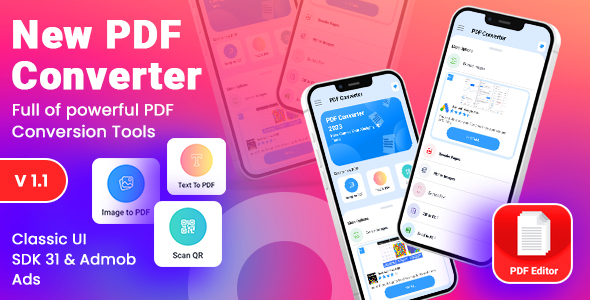
PDF Editor - Image to PDF | Digital Signature

PDF Editor - Image to PDF | Digital Signature

Photo to PDF conversion has never been easier! With this incredible Picture to PDF converter, you can convert photos to PDF in no time! Our powerful jpg to PDF app lets you convert any photo to PDF straight from your camera or your gallery. Image to PDF converter gives you an easy and straightforward way to convert jpg to PDF, with just a few clicks. Photo to PDF is necessary these days, so download our PDF maker and worry no more!

Created Oct 31, 2023 · Updated May 1, 2024 · ★ 0.00 (1) · 9 sales