The Largest Curatorial Library
With Clean Uiux

Moo - Mobile App Template - Design UI Kit

Moo - Mobile App Template - Design UI Kit

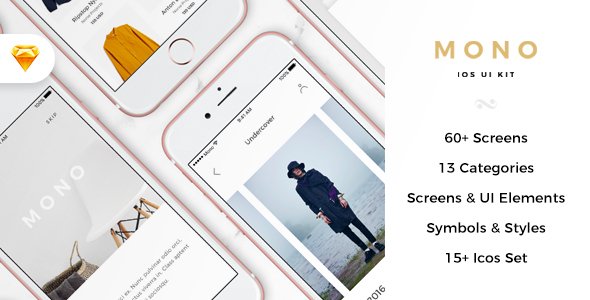
Overview Moo – Mobile App Template is a combination of 4 UI Kit with precision while maintaining modern design patterns. Package includes 4 favorite categories: Banking, Bar & Restaurant, Dating, Food Order can create lots of beautiful apps on your own. Moo – Mobile App Template a beautiful, unique and trendy Mobile UI Kit. It will help you save tons of time building your products. We create versions for not only Sketch file also Figma file, so it’s really easy to editable. Made for everyone – Designers, Design Studios, iOS Developers. Be Creative, Be Awesome. Highlights 100% High-Quality vectors 250++ Premium Screens Free font Google to use Well Organized Layers and Groups Symbol library easy to use Works in Sketch & Figma What’s inside? - Sketch file - Help file Categories included 1. Banking 2. Bar & Restaurant 3. Dating 4. Food Order

Created Dec 12, 2018 · Updated Aug 20, 2019 · ★ 5.00 (10) · 94 sales

AppCase App Landing Page Template

AppCase App Landing Page Template

AppCase App Landing Page PSD Template is designed with a clean look and feel, stylish & modern trend that totally flexible to bring high aesthetic & conversion for a App promotion & would be suitable not only for a mobile apps but also for mobile games showcase or any application website showcase. It comes with one unique layout (7 PSD Files) which includes tons of sections, customization options and features for multiple purposes.

Created May 8, 2017 · 4 sales

Kenakata - eCommerce Mobile App UI Kit

Kenakata - eCommerce Mobile App UI Kit

Kenakata is a creative, modern, clean, professional and attractive eCommerce Mobile App UI Kit. Made with Adobe XD. All artboards/pages/screens and symbols clearly and logically labelled (related elements grouped into symbols, such as icons, blocks, buttons, links, etc.). All layers and/or group clearly and logically labeled. Two dedicated assets-icons files so that you can quickly and easily edit the assets used throughout the Adobe XD file in a centralized place. You’ll get 41 iPhone X screens.

Created Aug 24, 2020 · Updated Sep 15, 2020 · ★ 0.00 (1) · 79 sales