The Largest Curatorial Library
With Android Code

Easy QR Code Generator

Easy QR Code Generator

Qr Code is type of Barcode that you use on your website. This type of barcode you can read by mobile phones like iphone or all with Android system (youtube link with example of use : ). Inside you can insert some informaction like link ,text, email address, phone number ,contact information and more ,this message we read by your phone. Normaly you to create this you can use google chart but the syntax use terrible this class create link for you in easy way you pass only some information and you get corect link for google chart This class is : -Useful for any .NET website -Cross-browser compatible -simple to use (2 line of code) -detailed documentation included - DLL file included - DLL tested on VB.Net and C# projects ( working without problems ) - VB.Net source code included

Created Dec 24, 2025

Qr code and barcode scanner generator android + ios

Qr code and barcode scanner generator android + ios

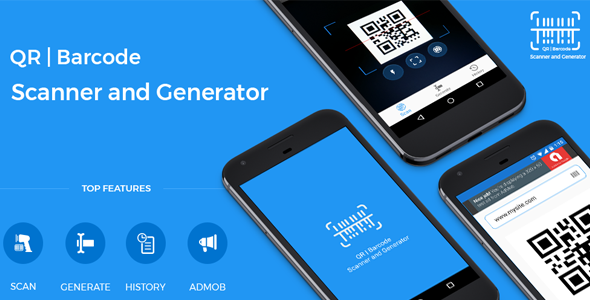
QR Code & Barcode Scanner 2019 is a free, powerful and complete barcode, QR code, and barcode scanner application today. QR Code & Barcode Scanner 2019 helps you scan any barcode, QR code to get more detailed information about the product, including results from popular online services such as Amazon, eBay, and Google… Besides QR Code & Barcode Scanner 2019 also allows you to create barcodes, create QR codes easily, with categories: product code, image, text, URL, website, contact, phone, calendar, email, message, Wi-Fi, ...

Created Nov 6, 2019 · Updated Nov 9, 2019 · 17 sales

QR Code Scanner-Generator

QR Code Scanner-Generator

Simple user guide as following: QR Code Scanner-Generator is extremely easy to use. To scan the QR code, simply open the QR code scanner align the code. QR Code Scanner-Generator can scan all types of QR code like Text, URL, Contact, Email, Location, Wi-Fi, Socialmedia like facebook, whatsapp, instagram, linkedin and many other formats. After successful QR code scan user can copy result of scan and share with other. User can also generate various types of QR code like, Text, Email, Contact, Location, Socialmedia like facebook, whatsapp, instagram, linkedin and many more format. Generated QR code stores as history for future use. Also, Application have functionality to share created QR Code with others.

Created Apr 22, 2019 · Updated May 14, 2020 · 5 sales

All in One QR Barcode Scanner & Generator +Admob+OneSignal Push Notification Android App

All in One QR Barcode Scanner & Generator +Admob+OneSignal Push Notification Android App

All in One QR Barcode Scanner & Generator App scan and generate QR code and Barcode, You can scan & generate email, phone number, much more. also available share save delete option when you are ganerate a QR code. This app is very powerful and beautiful UI designed and Smooth Performance on Android Devices. This App Comes With Admob ads and Onesignal Push Notification much more.

Created Oct 5, 2021 · Updated Feb 15, 2022 · ★ 0.00 (2) · 31 sales

QR Code Scanner - Barcode Scanner all in one

QR Code Scanner - Barcode Scanner all in one

Start Earing money with admob by using this app, QR Code Scanner – Barcode Scanner 2020 is admob ready QR Code Scanner – Barcode Scanner 2020 Super fast QR & barcode scanner that supports all QR & barcode formats! It’s the must-have scanner app for all Android devices. It’s very easy to use, no need to press any buttons, just open it and point to the QR code or barcode, it will auto recognize, scan and decode the code. After scanning, several relevant options for the results will be provided like save option QR code / Barcode reader can scan and decode all kinds of QR code and barcode, such as contacts, products, URL, Wi-Fi, text, books, E-mail, location, calendar and so on. It is also commonly used to scan promotion and coupon codes in shops to get discounts. Features: *Super Fast Scanning * Flashlight supported *Privacy safe, only camera permission required *Camera Controls *Scan history saved *Auto zoom *Share scan results *Settings to customize experience *No internet connection required How to use: 1. Open the scanner 2. Point the camera to the QR code/barcode 3. Auto recognize, scan and decode 4. Get results and save options Support all QR & barcode formats QR code, Data Matrix, Maxi code, Code 39, Code 93, Codabar, UPC-A, EAN-8 and many more Scan history saved All scan history will be saved for instant viewing at anytime.

Created Oct 19, 2020 · Updated Nov 23, 2020 · ★ 0.00 (2) · 19 sales