#1

Ultra Navigation - Responsive Bootstrap Sidebar Menu
#1

Ultra Navigation - Responsive Bootstrap Sidebar Menu
#2
Tnagele SideBar
Fancy vertical navigation menu with pure HTML, CSS and JQuery. Cross platform that compatible with almost all major browsers and devices. Colorful with Overlay and push effect that ready to be used in Web Apps. (i.e: Admin Panel). Web version as well as Cordova version is included, so it can be complied to all format supported by Cordova (including: APK, IOS, and windows).
#3

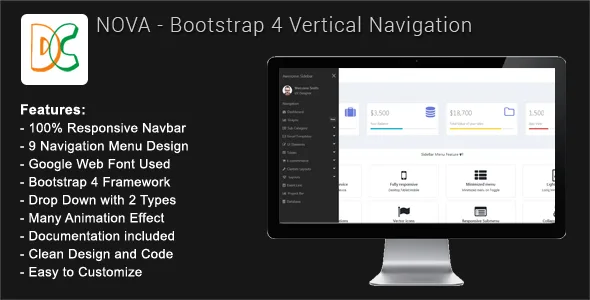
Nova - Bootstrap 4 Sidebar Navigation
Nova – Bootstrap 4 Sidebar Navigation is a professional CSS2 & CSS3 jQuery sidebar Responsive Navigation compatible with Bootstrap 4 framwork. This Navigation comes with vertical and sticky version and 3 different design.it is static sidebar navbar. which is include HTML, CSS and javascript files. Make sure is not wordpress plugin.
#4

Dashboard Menu - Bootstrap Admin Dashboard Menu Full Responsive
Dashboard Menu is a Full Responsive Bootstrap Admin Dashboard jQuery menu plugin. Dashboard Menu can be used into your Management System, Backend, CMS, CRM. Code written in a simple way by which you can easily integrated into your site. All the codes are clean, well commented and well organized with proper help documentation. It looks great with all types of devices. Try out the demo.
#5

NavAmdin - Responsive Sidebar Navigation
#6

Responsive Bootstrap Sidebar Navigation
HOE Navigation Menu consist of both Horizontal and Vertical navigation menu based on CSS3 and jQuery. It is lightweight and compatible with almost all major browsers and devices. It supports four levels sub menu with shrink, Overlay and push effect.
#7

jQuery Dashboard Vertical Navigation
#8

jQuery/CSS Vertical Admin Navigation
Ultra modern and stylish vertical navigation using css and jQuery which would be ideal for your next admin panel and would looks great in an iPad application.
#9

WordPress Hide Admin Menu Plugin
WordPress Hide Admin Menu plugin helps you hide the admin menu and admin bar items in the WordPress admin area based on user role. Select the checkboxes corresponding to menu items and user roles and save. You’ll have a simplified menu for your clients, users. That will help you hide essential menu items that you don’t want them to access, like the settings page, account detail page, etc.