You've got a product deadline, a pile of audio files, and someone on your team just asked whether the transcript should be live, final, or both. That's the starting point for a speech to text API decision. The wrong choice makes your app feel laggy, your review workflow noisy, and your downstream analytics harder to trust.
A speech to text API is a cloud service that turns spoken audio into machine-readable text through an API call. It's not the same thing as a desktop dictation app, and it's not just a UI feature. In modern products, it sits inside contact centers, meeting assistants, captioning systems, and voice agents as infrastructure that your app calls when it needs words from audio. The market context backs up that shift, too, with industry estimates placing the segment at USD 3.8135 billion in 2024 and projecting USD 8.5694 billion by 2030, while another forecast places it at USD 4.66 billion in 2025 and USD 25.28 billion by 2034 (Grand View Research market report).
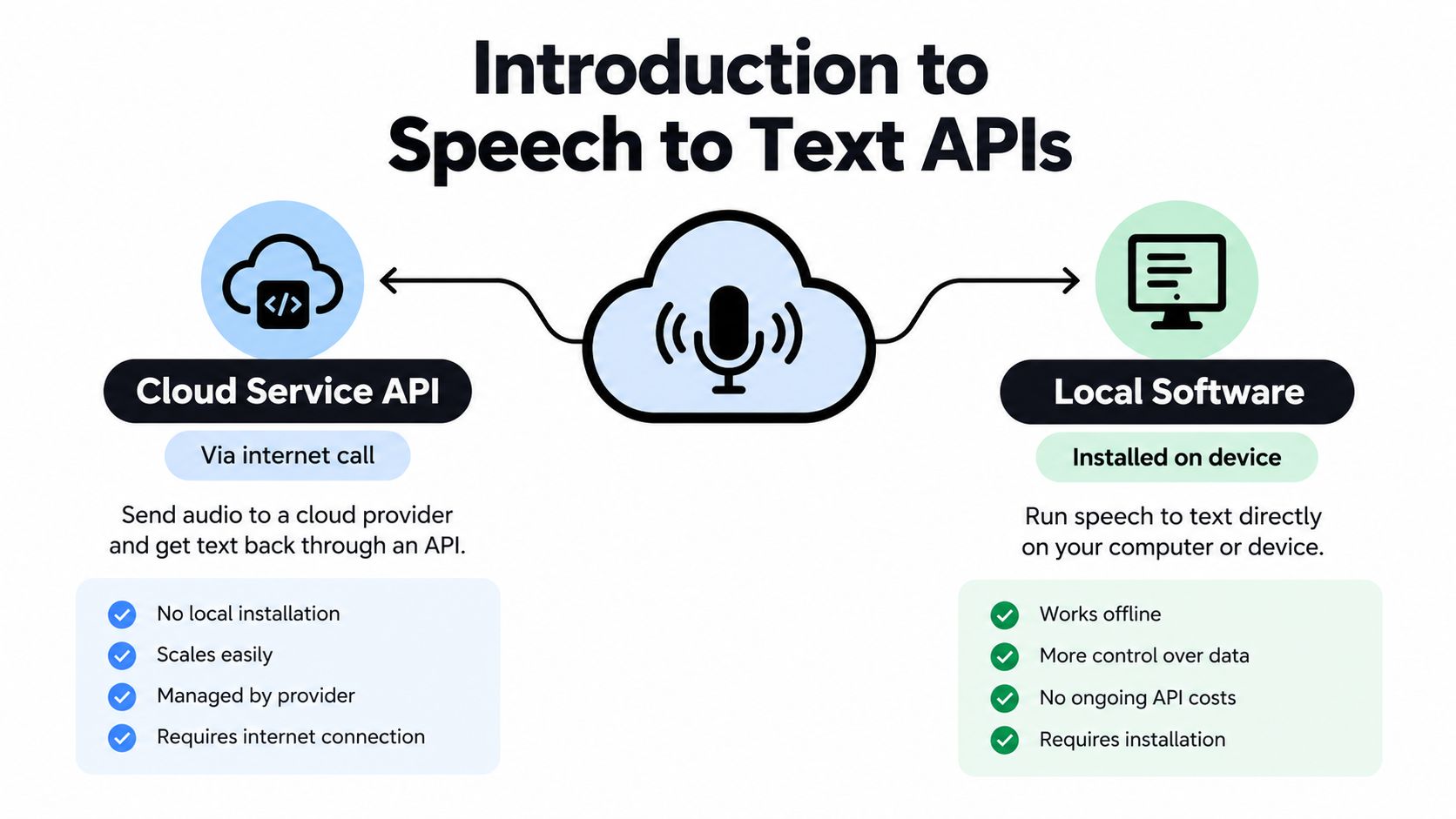
If you only need a mental model, use this one. Cloud APIs are the flexible, embeddable option, while local software is installed on a device and tied to that environment. The rest of this guide helps you decide whether you need real-time streaming, batch transcription, or a mix of both, then shows you how to test the API on your own audio instead of trusting a polished demo.
Table of Contents
- Introduction to Speech to Text APIs and What They Do
- How Speech to Text APIs Evolved from Dictation to Cloud
- Core Architecture Behind a Speech to Text API
- Real Time Streaming vs Batch Transcription Use Cases
- Key Evaluation Criteria for Any Speech to Text API
- How WhisperAI.com Can Help
- Comparing Speech to Text API Options with a Decision Matrix
- Integration Patterns and Starter Code for Speech to Text APIs
- Building Voice Enabled Products with Code Market Resources
- Decision Checklist for Choosing the Right Speech to Text API
- Quick Reference Glossary and Cross References
Introduction to Speech to Text APIs and What They Do
A speech to text API is easiest to understand as a translation layer between audio input and text output. Your application sends a file or a live stream, the service processes the audio, and it returns text that your system can store, search, review, or pass to another workflow. That text might be plain transcript lines, timestamps, speaker labels, confidence scores, or formatted subtitle output, depending on the vendor and the endpoint.
The basic request and response shape
Most products use one of two patterns. Batch transcription sends a finished file and waits for the full transcript, while streaming transcription keeps a connection open and returns partial results as speech arrives. Streaming feels more responsive, but it also introduces more moving parts, like connection handling and the difference between tentative and final text.
A clean way to think about it is this. The API is not the product, it's a service your product depends on. That matters because transcription often feeds other systems, like searchable archives, QA dashboards, meeting notes, or agent assist tools, and each of those systems cares about different transcript attributes.
Practical rule: decide whether your user needs a transcript, a live assist signal, or a searchable record before you evaluate vendors. The API should match that outcome, not the other way around.
Where it fits in the stack
In a contact center, the API may feed live agent coaching or post-call review. In media, it can power captions and transcript search. In accessibility tools, it provides text that makes spoken content usable for more people. In voice agents, it becomes the first step in a conversation loop, because the system can't reason about what a user said until the speech has been turned into text.
The key confusion for many buyers is whether they need one workflow or two. If you have live calls and recorded assets, you probably need both streaming and batch. If your input is always a finished file, batch is enough. If your app must react while the user is still speaking, streaming is essential.
How Speech to Text APIs Evolved from Dictation to Cloud
A team choosing a speech to text API should start with its own audio, not a vendor demo. The best way to judge an API is to test real files, live streams, and messy recordings from your product, then compare accuracy, latency splits, and stability under load. That habit grew out of a long shift in the technology itself.
Early speech products were desktop dictation tools. Dragon NaturallySpeaking, launched in 1997, is often cited as the first commercial software that let users dictate at normal speaking speed. That set a simple expectation, speech recognition should be useful in real work, not just in a lab. The next major shift came in 2011, when Google launched its Speech API, one of the first high-profile cloud speech interfaces for developers (Krisp speech-to-text API evolution).
The cloud model changed the unit of value. Instead of installing software on one machine, teams could call a hosted service from apps, websites, and internal tools. The recognition engine became something product teams could use without building ASR infrastructure from scratch. That is why speech to text APIs now fit workflows that need scale, shared access, and easy integration rather than a single-user dictation experience.
Why the cloud model won
Cloud delivery works across more than one workflow. The same service can support a meeting app, a support desk, and a media platform, while also adding speaker labels, timestamps, and export formats around the transcript. Those extras matter because they turn raw speech into structured output that downstream systems can use.
The market followed that pattern. One estimate placed the market at USD 2.2 billion in 2021 with a forecast of USD 5.4 billion by 2026 at a 19.2% CAGR, and newer projections put it above USD 5 billion in the mid-2020s. The exact figure matters less than the direction. Buyers keep moving from standalone dictation toward embedded transcription services because products now need speech data inside a larger workflow.
A practical decision checklist starts there. If the product must respond while a person is still speaking, streaming belongs on the shortlist. If the job is a finished file, batch transcription is enough. If both live calls and recorded assets exist, teams usually need both paths. The right choice comes from product requirements, not from a polished demo.
Core Architecture Behind a Speech to Text API
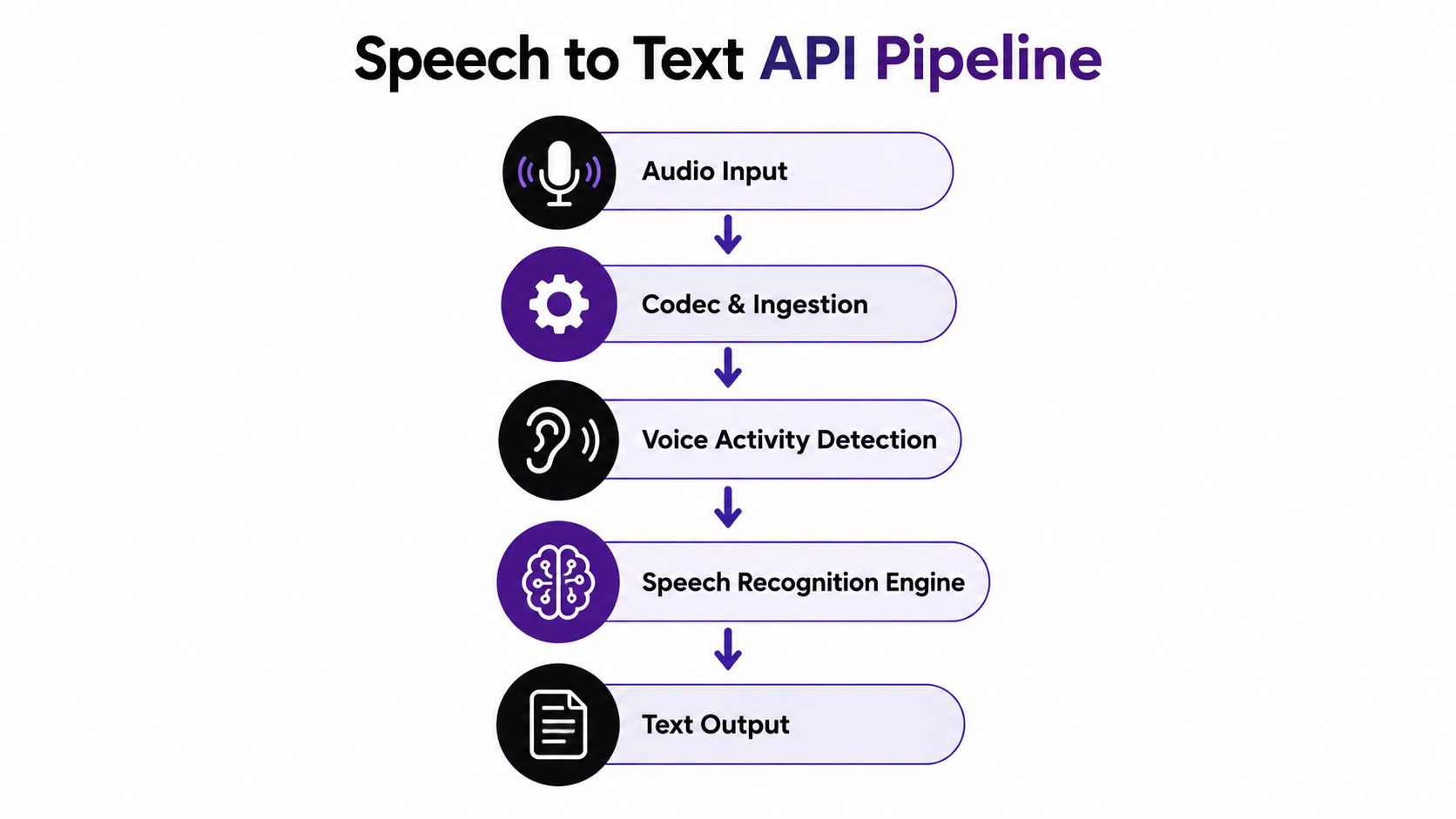
A speech to text pipeline looks simple from the outside, but each stage can shape quality before the transcript appears. Audio enters the system, gets decoded, speech boundaries are identified, and the recognition engine turns sound into words. The output layer then formats that text for your app.
Audio ingest and signal quality
The audio container and codec matter because the model only sees what arrives at the API. A practical setup uses 16 kHz or higher capture, lossless FLAC or LINEAR16 when possible, separate channels for multi-speaker recordings, and about 100 ms frame sizes as a latency-efficiency tradeoff (Artificial Analysis speech-to-text methodology). If the input is clipped, over-compressed, or wrapped in a format the service has to work hard to decode, accuracy drops before recognition even begins.
VAD, or voice activity detection, usually sits near the front of the pipeline. It tells the system when speech starts and stops. In live systems, that decision affects both responsiveness and transcript stability, because the API has to decide whether to emit a partial result or wait for more context.
Recognition, formatting, and output
After ingest, the speech recognition engine maps audio patterns to text. From there, the system may add punctuation, capitalization, diarization, and timestamps. Diarization answers who spoke when, which matters for meetings and support calls.
Output usually comes back over REST for finished jobs or WebSocket for live streams. That difference is practical, not cosmetic. REST fits completed files, while WebSocket supports incremental updates that your app can surface while the speaker is still talking.
Practical rule: normalize the input before you blame the model. A lot of production accuracy problems come from sample rate, channel mix, or capture settings, not from the recognizer itself.
Real Time Streaming vs Batch Transcription Use Cases
The key question is whether your product needs text while someone is still speaking, or whether it can wait for the final file. Those are different operating modes, like live instrumentation versus post-run analysis. Choose the mode that matches the user workflow, then test it on your own audio instead of trusting a polished demo.
Real time streaming
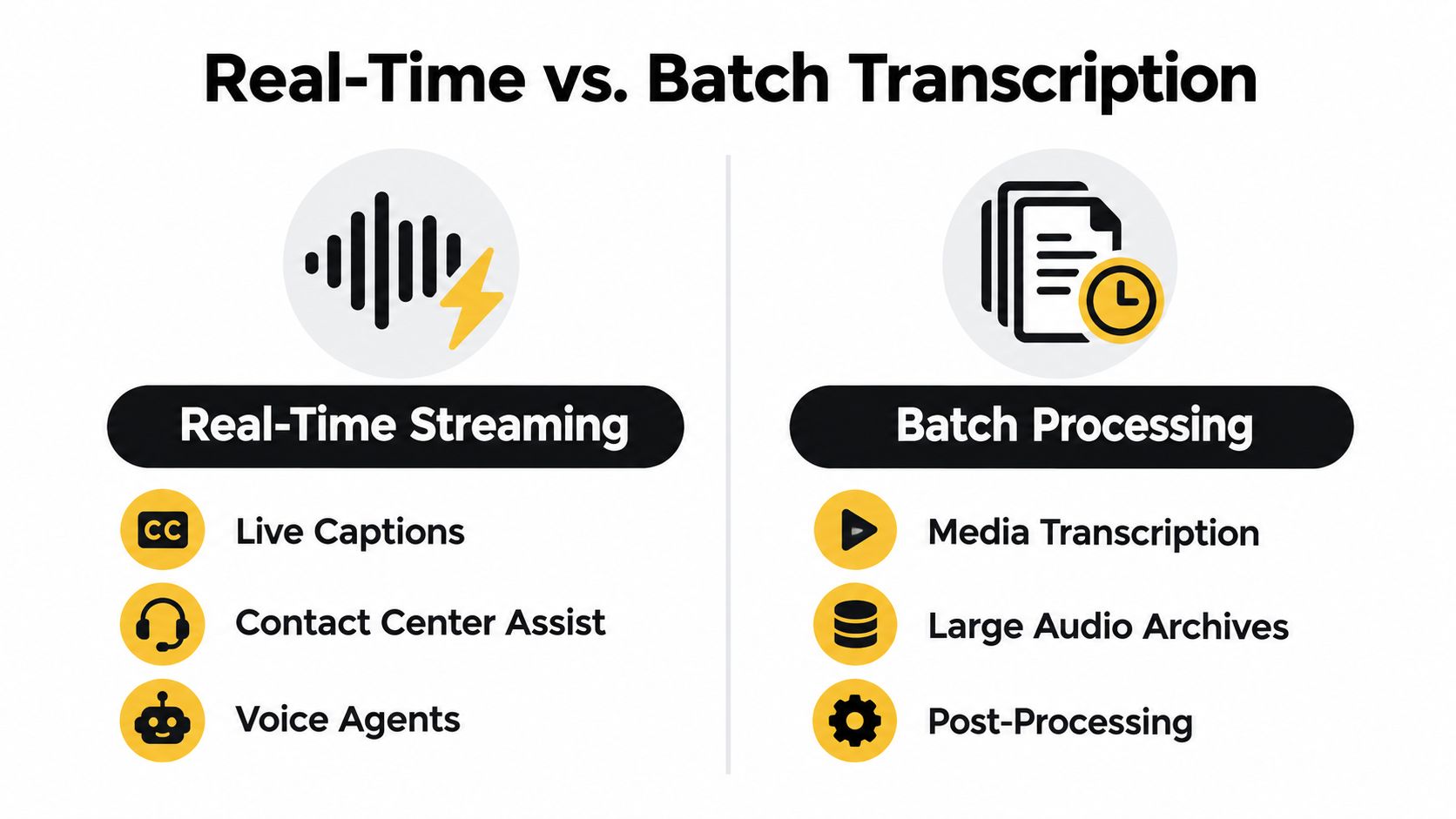
Streaming fits products where partial text changes the next action. Live captions need it. Contact center assist needs it. Voice agents need it because they have to react before the recording ends. In these systems, the user experience depends on how quickly useful text appears after speech starts.
Streaming also asks you to manage instability. Early partials can change as more audio arrives, so your app needs a rule for when to display, revise, or hold a transcript. That is why latency splits matter. Time to first partial transcript and time to final transcript answer different questions, and both should be measured on your own calls, not only in vendor demos.
Batch transcription
Batch fits completed audio. Media archives, meeting recordings, and bulk transcription jobs usually care more about final accuracy, timestamps, and review than about immediate response. The engine can use the whole file for context, and your application does not need a live connection.
If your workflow includes editing, asset tagging, or downstream content assembly, the Code Market catalog of AI-powered tools for audio and visual content is a useful reference for seeing where transcription sits in a larger pipeline.
A practical checklist helps. If the product must respond during the conversation, use streaming. If the input arrives as finished media, use batch. If both exist in the same product, keep the paths separate early so logging, retries, and evaluation stay clear. For both paths, test with your own reference transcripts and compare WER, latency splits, and stability under realistic load.
Key Evaluation Criteria for Any Speech to Text API
Vendor demos are optimized audio. Your production traffic isn't. That gap is why the best evaluation process starts with your own held-out audio, your own reference transcripts, and your own normalization rules. NIST's OpenASR plan uses Word Error Rate, or WER, as the primary benchmark, where WER is computed as deletions plus insertions plus substitutions divided by reference words (NIST OpenASR evaluation plan). That makes WER the baseline, but not the whole story.
Accuracy on your own audio
Measure WER on the audio distribution you serve. Clean benchmark clips don't tell you what happens when accents, noise, overlapping speakers, or domain vocabulary show up. Build a small held-out set from real calls, meetings, or recordings, then score every candidate on the same files with the same reference text. If your product depends on names, numbers, or jargon, test those separately too, because a low aggregate WER can hide business-critical misses.
Latency and stability
For live products, split latency into time to first partial transcript and time to final transcript. A system can feel responsive while still finalizing too slowly, and that difference changes user trust. Then test transcript stability under concurrent load and real network conditions, because lab numbers don't tell you what happens when several sessions run at once or packets arrive unevenly.
Coverage and production controls
Language support, accent handling, diarization, punctuation, and custom vocabulary all matter, but they matter differently by use case. Meeting apps usually care about speaker separation and readable formatting. Voice agents care more about turn timing and critical-token accuracy. Compliance-sensitive teams should also verify encryption, data handling, and deployment control before they commit.
Practical rule: do not buy on leaderboard results alone. Score the same recordings, under the same normalization rules, with the same success criteria your product will use in production.
How WhisperAI.com Can Help
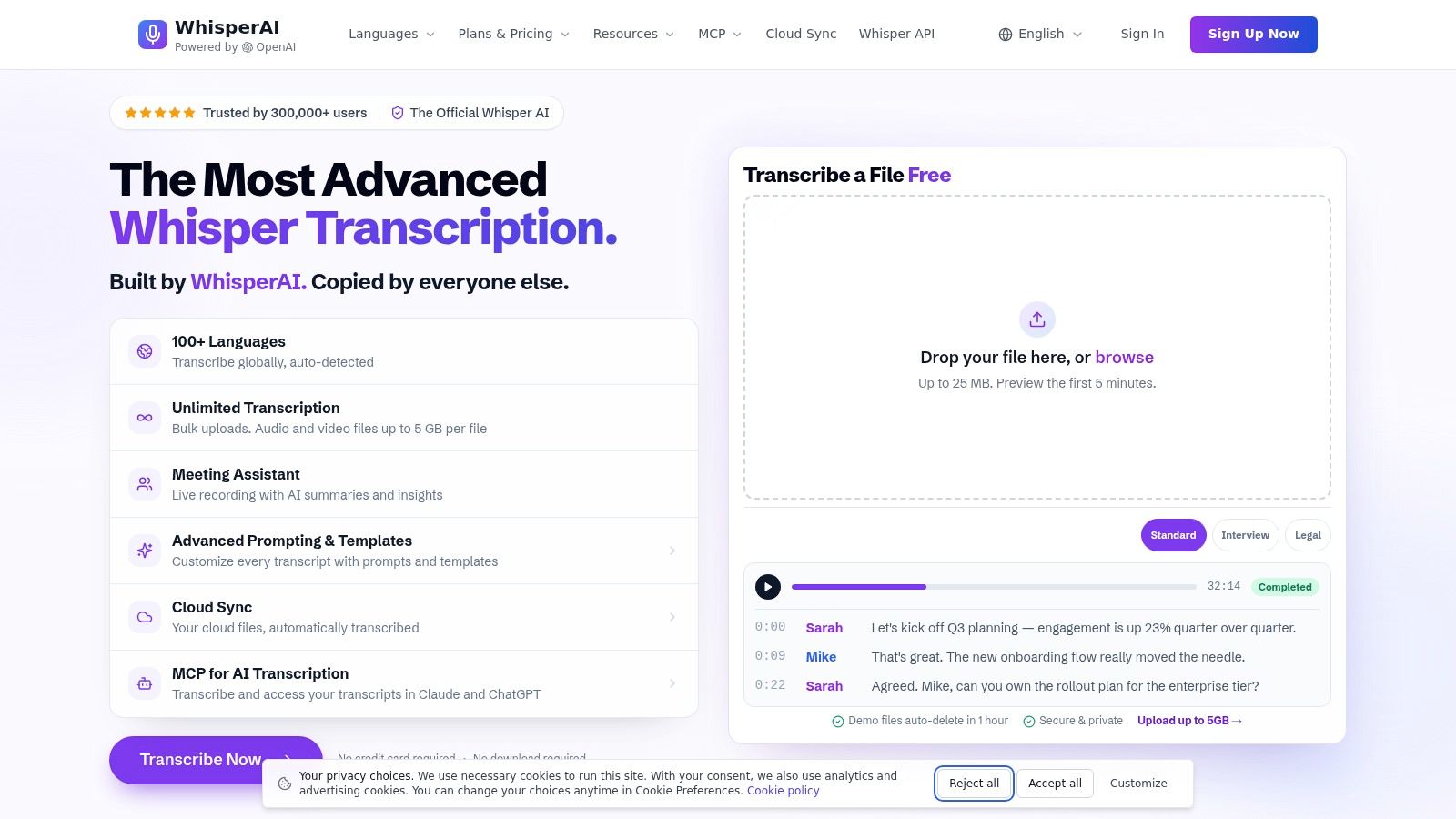
WhisperAI is a web-based transcription and translation platform built on OpenAI's Whisper model. It's designed for teams that want recorded and live audio converted into structured text, with support for large files, multi-speaker sessions, and exports like PDF, DOCX, TXT, and SRT. For developers comparing API options, the useful question is not whether it sounds impressive. It's whether it reduces integration work around meetings, subtitles, and batch transcription.
Where it fits well
WhisperAI makes sense when you need a transcription layer that handles real-time recordings, large uploads, speaker labeling, and subtitle output without forcing your team to assemble each piece separately. It also supports custom vocabulary, per-file instructions, and bulk workflows, which matters if your team regularly transcribes meetings, interviews, support calls, or domain-specific recordings. The platform also exposes a developer path through the WhisperAI speech-to-text API, which is useful if you want the same transcription workflow inside software rather than only in the browser.
When to consider it carefully
It's a better fit when your project values speed of implementation and structured exports more than deep model customization. If your product needs highly specialized orchestration, custom infrastructure, or a very specific streaming architecture, you should compare it against other APIs on your own audio. If you want a tool that helps teams handle transcription, summaries, diarization, and searchable editing in one place, it deserves a place on the shortlist.
Comparing Speech to Text API Options with a Decision Matrix
A decision matrix turns vague requirements into a concrete test plan. Start by naming the use case, then map it to the mode, the criteria that matter most, and the audio you'll use for evaluation. This keeps teams from over-weighting features they'll never use.
Speech to Text API Decision Matrix by Use Case
| Use Case | Priority Mode | Top Criteria to Weight | Test Focus |
|---|---|---|---|
| Live agent assist | Real time streaming | Latency, stability, diarization, critical-token accuracy | Partial transcript speed, turn-taking behavior, noisy call audio |
| Voice agent | Real time streaming | Turn detection, latency splits, critical-token accuracy | Short utterances, interruptions, reconnect handling |
| Meeting transcription | Often hybrid | Diarization, punctuation, language support | Multi-speaker overlap, speaker labels, review effort |
| Media captioning | Batch or hybrid | Timestamp quality, formatting, accuracy on noisy media | Subtitle timing, background music, final transcript cleanup |
| Post-call analytics | Batch | WER on your calls, speaker labels, reliability | Large sample sets, concurrency, export quality |
| Bulk archives | Batch | Throughput, cost, stability | Long-form files, retry logic, output consistency |
How to weight the matrix
Real-time products should weight latency and stability first, because the transcript has to be useful before the interaction ends. Batch products can weight final quality higher because they can afford to wait for context. Multilingual products should also test language switching on your actual recordings, not just the languages listed in a brochure.
Practical rule: choose one primary mode per workflow, then define secondary requirements. Teams get into trouble when they expect one endpoint to behave like two different products.
Integration Patterns and Starter Code for Speech to Text APIs
Integration problems usually show up in the plumbing, not the model. The safe pattern is to keep your audio handling, retry logic, and transcript storage separate from the vendor SDK so you can swap providers without rewriting the whole system. If you're mapping transcription into a broader product, the Code Market guide to building knowledge management solutions with JavaScript UI components is a useful companion because transcript review often becomes a UI problem fast.
Batch upload pattern
Use batch when the file already exists. Your app uploads the audio, records the job ID, and either polls for completion or receives a webhook. That pattern is clean for meeting archives, support call recordings, and media files.
- Upload the file once: send the audio to the API with the right codec and metadata.
- Store the job reference: keep the transcript request ID with your own record.
- Finalize after completion: only mark the transcript ready after the vendor says the job is finished.
Streaming pattern
Use streaming when your app needs partial text while the speaker is still talking. Open a persistent connection, send audio frames at a steady cadence, and separate tentative partials from final transcript events. For live systems, 16 kHz capture and about 100 ms frames are practical defaults, with separate channels where possible for multi-speaker audio (Artificial Analysis speech-to-text methodology).
Debugging and measurement
Log three things every time. First, the audio format that was sent. Second, the timestamps for partial and final transcript events. Third, the vendor error or reconnect behavior when the network changes. If the API already handles noisy audio well, disable unnecessary client-side AGC and noise reduction, because extra preprocessing can distort the signal before the model sees it.
The starter pattern is simple. Capture clean audio, choose the right mode, and measure the transcript where your users feel the delay, not where the dashboard makes it look pretty.
Building Voice Enabled Products with Code Market Resources
Transcription rarely sits alone. It usually becomes part of a larger product, like a meeting app, a workflow dashboard, a CRM automation, or a mobile voice feature. That's where template and starter-code catalogs help, because they let teams assemble the surrounding product faster once the transcription choice is clear.
Code Market functions as a catalog of code, templates, and scripts across web, mobile, and backend stacks, so it can be used as a discovery layer when you need adjacent pieces like dashboards, React or Flutter starters, or SaaS scripts. For a speech to text project, that matters because the transcript often needs review screens, storage, search, and workflow controls.
A practical build path
Start with the transcription API decision. Then pick the product shell that surrounds it. If the use case is mobile capture, look for a starter that already handles audio permissions and upload flows. If it's operations-heavy, a dashboard template is more useful than another demo app. If the workflow needs automation, pair transcription with a script that can move results into existing systems.
Three common combinations work well:
- Mobile capture plus live transcription: useful for field apps, interviews, and in-person note-taking.
- Dashboard plus transcript review: useful for QA teams, support managers, and compliance workflows.
- Workflow script plus batch upload: useful for content teams processing large file libraries.
The fastest teams don't start by building every component from scratch. They decide where transcription belongs, then reuse proven scaffolding for the rest.
Decision Checklist for Choosing the Right Speech to Text API
A good selection process is boring in the best way. It's a checklist, not a debate. If the team can answer each item with evidence, the choice usually becomes obvious.
Selection checklist
- Define your audio profile. List the sources, like calls, meetings, videos, or voice commands.
- Build a held-out test set. Use representative audio, not polished demo clips.
- Score WER and diarization quality. Compare candidate outputs against the same references and speaker labels.
- Measure latency splits. Track time to first partial and time to final transcript under load.
- Verify language and codec support. Make sure the API fits your capture formats and language mix.
- Validate pricing at scale. Estimate cost using your own minute volume and feature needs.
- Confirm compliance and deployment controls. Check encryption, retention, and regional or private deployment options.
If you need a short way to capture the decision in a shared doc, use a pass-fail note next to each step and keep the raw results with the audio set. That makes procurement and technical review much easier later.
For teams that are turning this into a broader software product, Code Market's white-label AI resource guide is a reasonable adjacent reference when you're deciding what to build versus what to reuse.
Quick Reference Glossary and Cross References
WER means word error rate, the standard accuracy metric for comparing transcript outputs. CER means character error rate, which can help when spacing or punctuation is inconsistent. Diarization labels who spoke when. VAD is voice activity detection, the speech boundary detector. TTFS means time to final transcript. Streaming partials are the tentative live results returned before a transcript is finalized.
For evaluation detail, see the Key Evaluation Criteria section. For pipeline mechanics, see Core Architecture. For mode selection, see Real Time Streaming vs Batch Transcription Use Cases. For implementation, see Integration Patterns and Starter Code for Speech to Text APIs.
This article was inspired by Outrank.