In a 2026 benchmark, one provider reached 99.00% success on protected sites while another landed at 49.00% success and took 36.0 seconds on average to respond, which is the reason a scraping API is no longer a simple procurement choice. The market has also crossed a threshold, with the global web scraping API market valued at US$1.03 billion in 2024 and projected to reach US$1.286 billion by 2031 in one report, while another estimated the broader web scraping software market at US$1.01 billion in 2024 and US$2.49 billion by 2032 as reported in the market overview. That kind of spread says something important, the buyer isn't just purchasing a library, they're buying access to data that lives behind active defenses.
A pricing team can learn that lesson in one afternoon. A developer wires up a few raw HTTP requests to pull competitor pricing, the first pages load, then the blocks begin, and suddenly the “quick script” is a reliability problem, a maintenance problem, and sometimes a compliance problem too. If your extraction pipeline is supposed to survive the open web, the choice of infrastructure matters as much as the selector logic. For teams also evaluating adjacent tooling, a broader view of build-vs-buy trade-offs shows up in Code Market's AI tools for content generation overview, though scraping infrastructure sits in a different operational category.
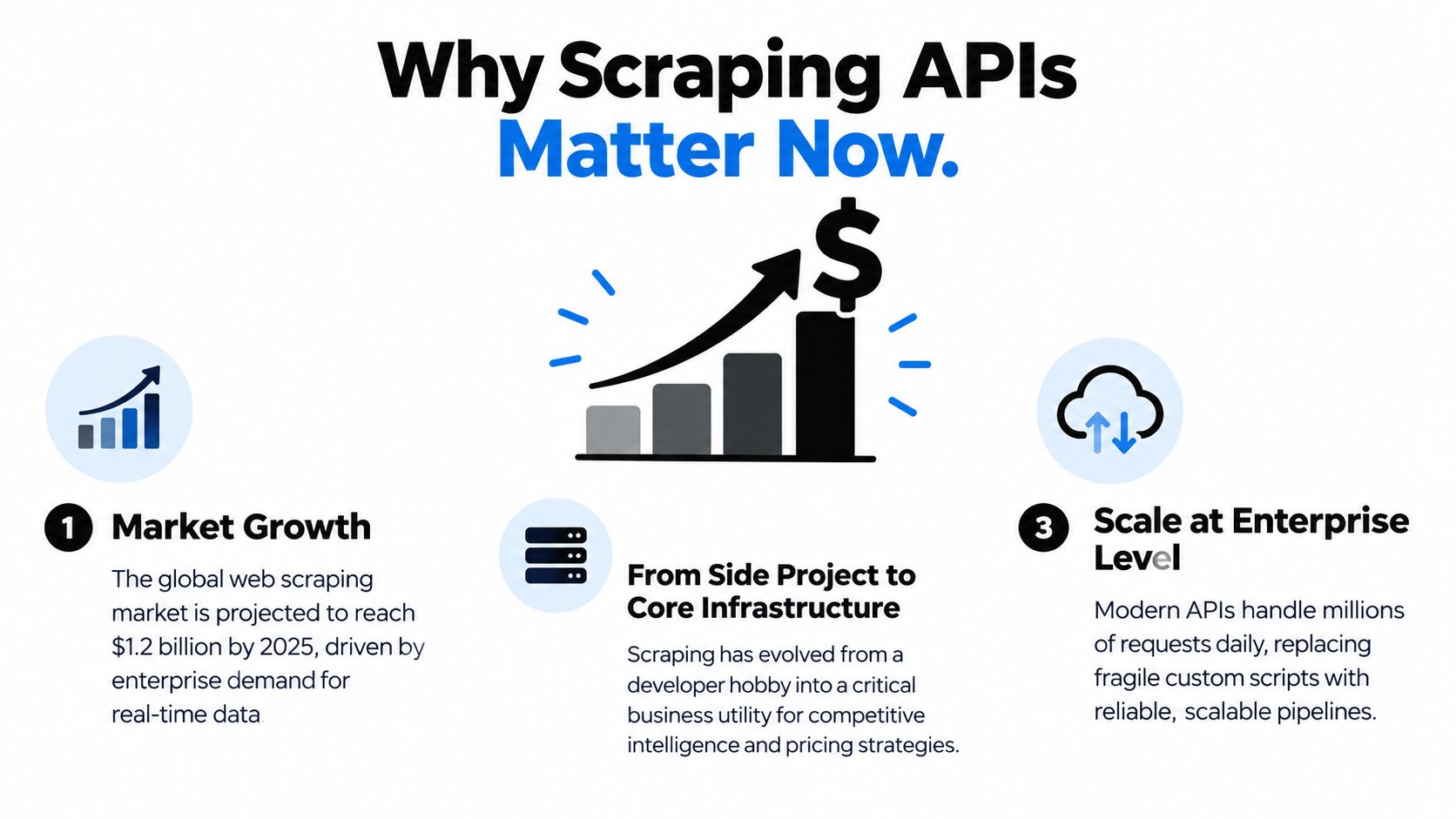
Table of Contents
- Why Scraping APIs Matter Now
- What a Scraping API Actually Is
- Hosted Versus Self-Hosted Scraping Infrastructure
- How Scrapfly Can Help
- Core Technical Components Explained
- Performance Benchmarks and Selection Criteria
- Integration Code Examples
- Best Practices and Common Pitfalls
Why Scraping APIs Matter Now
The web scraping API market has crossed the one billion dollar mark and continues to grow, according to the 2026 market overview. The important signal is not the market size alone. Businesses increasingly depend on current web data for pricing, product research, monitoring, competitive analysis, and structured workflows. A fragile script becomes expensive when those workflows run every day.
From quick scripts to production infrastructure
Raw HTTP requests remain effective for simple, stable targets. They become unreliable when a site changes markup, renders content in JavaScript, checks browser characteristics, varies response behavior, or limits request volume. The failure pattern is rarely consistent across websites. One target may work for months, while another blocks the same implementation within hours.
A product team might need daily pricing data from several competitors. An engineer can build a proof of concept with requests and an HTML parser, then discover that one site returns a different template, another requires client-side rendering, and a third responds with challenge pages. The parser may be correct. The acquisition layer is failing before parsing begins.
Practical rule: if a data source can change independently of your code, plan for monitoring, retries, and an anti-blocking strategy from the start.
Feature checklists hide this variability. A provider may advertise proxies, browser rendering, retries, and structured output, yet the real test is how those features perform against the specific sites you need to access. A cheap request that fails frequently can cost more than a higher-priced request that produces usable data consistently. Measure success rate, latency, retry behavior, and maintenance effort on representative targets rather than choosing from a feature list.
Infrastructure choices also create legal and operational consequences. A managed service may centralize proxy use, request handling, and compliance controls, but your team still needs rules for permitted sources, collection frequency, and retained data. A self-built system gives more control and may fit predictable workloads, but your team owns routing, browser execution, block recovery, monitoring, and changes required when sites evolve. Those responsibilities affect engineering capacity for as long as the pipeline remains active.
What the market growth really signals
Market growth shows that scraping has moved beyond occasional scripts. Buyers now evaluate support, observability, failure reporting, and operational ownership alongside extraction features. They need to know when collection failed, whether the returned content changed, and how quickly a broken target can be restored.
Demand also comes from different internal teams. Analysts use web data for research, pricing groups track competitors, operations teams populate dashboards, and AI applications require current context. Their targets, freshness requirements, and tolerance for missing records differ, so one infrastructure design will not suit every workload.
That makes the build-versus-buy decision a maintenance decision as much as a technical one. Teams comparing adjacent automation tools can review this AI content generation tools overview, but scraping requires its own assessment of target behavior, legal exposure, observability, and long-term upkeep.
What a Scraping API Actually Is
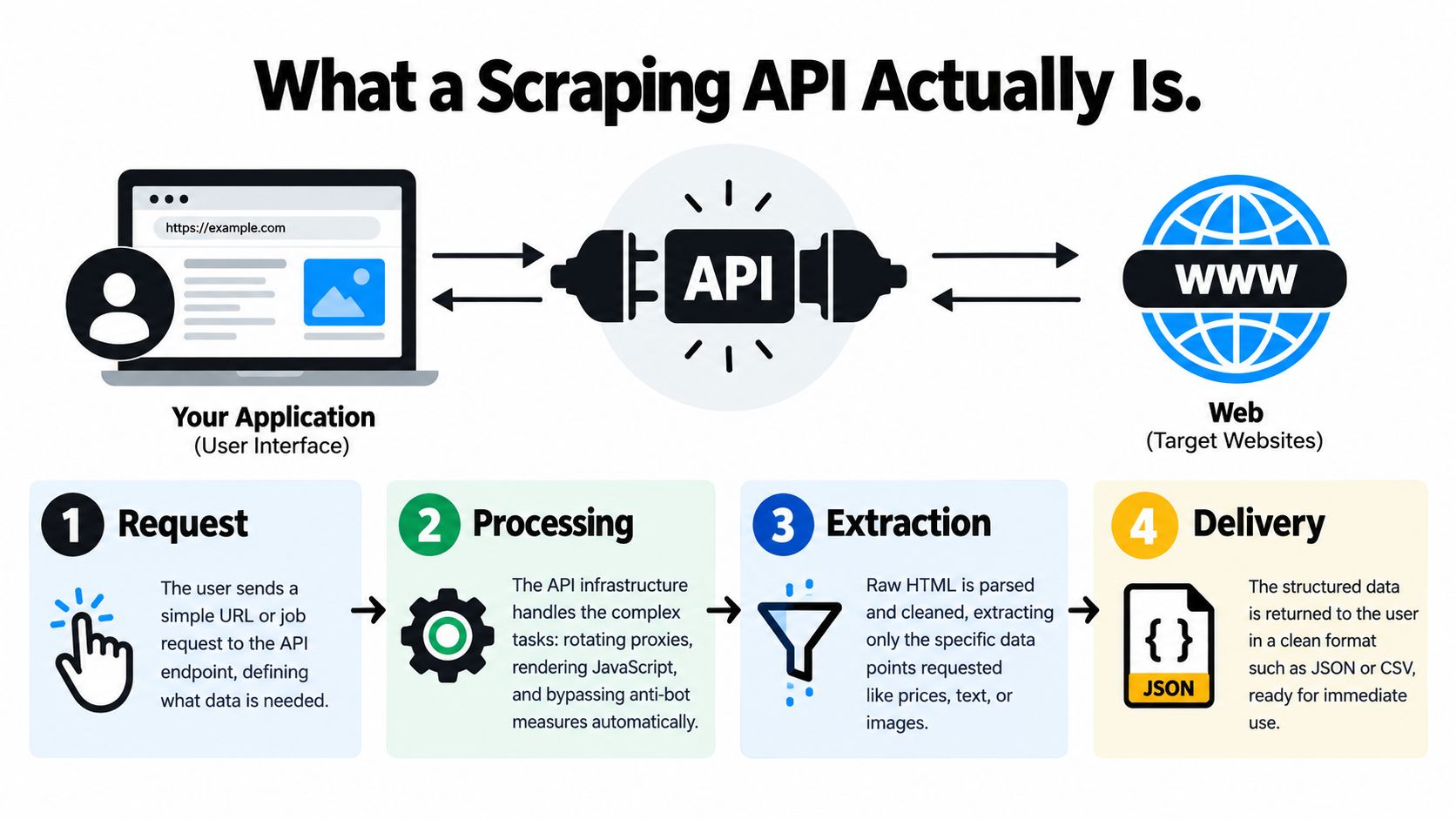
A scraping API sits between your application and the target website. You send a URL or a job request, and the API handles the messy parts that raw clients don't handle well, like proxy management, browser rendering, anti-bot responses, and response cleanup. The point isn't just to fetch HTML, it's to return data you can use directly.
The request path is the product
The simplest way to think about it is as a controlled pipeline. Your code submits a request, the provider decides how to route it, the target site receives something that looks like normal traffic, and the provider returns the extracted result. That result might be HTML, text, markdown, JSON, or a screenshot depending on the service.
Raw request libraries stop at the transport layer. They can download a response, but they won't decide which proxy to use, whether the page needs JavaScript execution, or how to recover when the site pushes back. A scraping API bundles those decisions into a service contract, which is why it's useful for production.
The main layers underneath
The first layer is request orchestration. That's where the provider handles queueing, retries, and routing. The second layer is proxy infrastructure, which influences whether the target sees a single repetitive IP or a varied traffic pattern. The third layer is browser automation, which becomes necessary when the page content is built in JavaScript or gated behind interactions. The fourth layer is response parsing, where raw page output turns into the structured fields your app expects.
That layered design matters because the visible output can hide a lot of invisible work. Two APIs may both advertise “HTML extraction,” but one may only work on straightforward pages while another can render and parse more hostile targets. The difference only appears when the target site starts defending itself.
Why raw HTML isn't enough anymore
Modern sites often serve different content to different visitors. Some pages load empty shells until JavaScript finishes. Others throttle traffic that looks automated. Still others return different markup depending on geography, session state, or request patterns. A raw HTTP client can't solve those problems by itself.
A successful scrape is rarely a single download. It's usually the combination of routing, rendering, extraction, and retry logic working together.
That's why infrastructure choices cascade into downstream engineering work. If your acquisition layer is weak, you spend more time patching selectors, replaying failed jobs, and debugging partial data than building the product that uses the data. Good scraping infrastructure reduces that drag, which is exactly what makes it worth paying for.
Hosted Versus Self-Hosted Scraping Infrastructure
The first real decision is whether to buy the acquisition layer or own it. Hosted services shift complexity off your team. Self-hosted setups give you more control, but they also make your engineers responsible for uptime, scaling, retries, and the constant repair work that comes with target-site changes.
| Factor | Hosted API | Self-Hosted |
|---|---|---|
| Time to first request | Fast, usually measured in minutes | Slower, because you need to provision and wire everything |
| Operational burden | Low for your team, high for the vendor | High, because you own the whole stack |
| Scaling behavior | Constrained by provider limits and plan rules | Limited by your own infrastructure and engineering capacity |
| Failure handling | Provider-dependent, usually abstracted | Fully your responsibility |
| Parsing control | Moderate, depending on the product | High, because you define the full pipeline |
| Maintenance | Lower day-to-day effort | Ongoing upkeep as sites change |
| Data sensitivity | Depends on what you're comfortable sending to a third party | Better when you need tighter internal control |
| Long-term flexibility | Good if the provider fits your targets | Good if you have strong scraping expertise |
When hosted makes sense
Hosted infrastructure works best when speed matters more than deep customization. A startup validating a data product can't afford to spend weeks building proxy rotation, browser orchestration, and retry machinery before seeing whether customers care. A managed provider gives that team a working extraction path immediately.
It also helps when demand is uneven. If one client needs a burst of data this week and almost nothing next week, buying capacity from a provider is easier than building for peak load yourself. The trade-off is that you're now dependent on the provider's limits and target coverage.
When self-hosted makes sense
Self-hosted infrastructure becomes attractive when you already have a strong platform team and a predictable workload. If you know your targets, control the parsing logic, and want to tune every part of the stack, owning the pipeline can make sense. It can also be the safer choice when your internal policies make third-party handling of certain data uncomfortable.
The cost isn't just hardware. It's the ongoing work of keeping everything alive while websites evolve. The more hostile the targets, the more engineering time you'll spend on block handling, browser updates, proxy hygiene, and selector maintenance. That's the hidden bill teams underestimate.
The real decision factors
The right answer usually comes down to four questions. How sensitive is the data? How predictable is the workload? How much engineering time can you spare? And how much failure can your product tolerate before customers notice?
If you don't have clear answers, start with hosted infrastructure, prove the use case, then decide whether the volume and control requirements justify an internal build. That path keeps you from overengineering a problem you haven't validated yet.
How Scrapfly Can Help
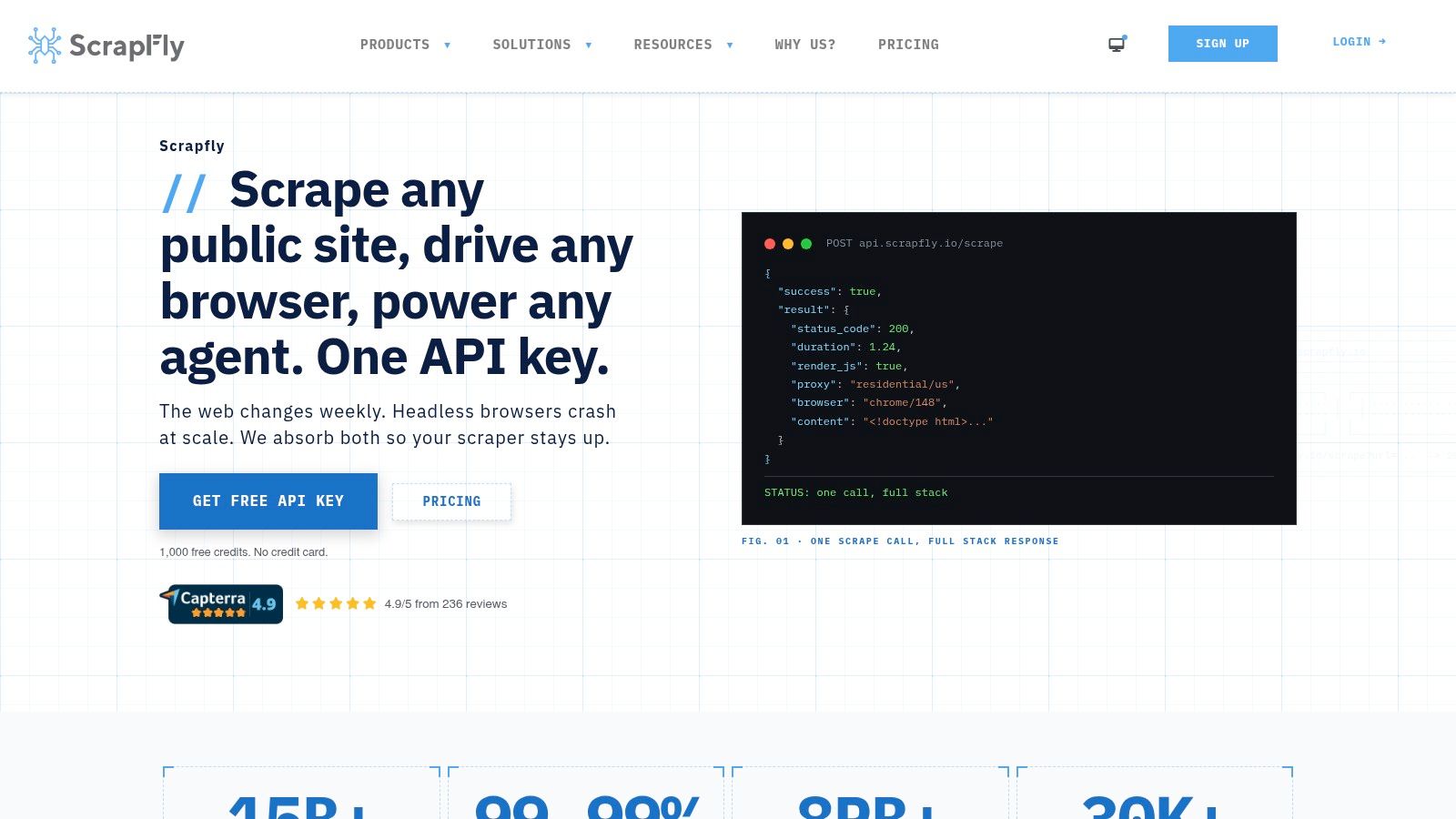
Scrapfly is a developer-focused web data platform that handles blocking, rendering, and structured extraction through one API key. Its Web Scraping API is the component most developers evaluate first, because it's designed to retrieve any URL while dealing with anti-bot defenses, proxy routing, and optional JavaScript rendering on the provider side.
Where it fits best
This kind of platform is useful when you need reliable access to protected pages, but you don't want to assemble and maintain the whole stack yourself. The value is not just unblocking, it's reducing the number of moving parts your team has to debug when a target starts resisting automation. That matters most for teams pulling live data at regular intervals or operating across multiple sites with different defenses.
The product surface is broader than a single fetch endpoint. It includes browser-based collection, crawling, extraction helpers, screenshot capture, and tooling for AI-driven workflows. Those additions matter because many scraping jobs aren't one-off URL fetches, they're multi-step collection problems that need rendering, retries, and clean output formatting.
What to look for in a platform like this
The useful test is whether the platform matches your actual target mix. If you're scraping pages that render heavily in the browser, a plain HTML fetch won't be enough. If you're pulling structured fields from hostile sites, you need unblocking and reliable parsing. If your workload is mixed, a platform that owns the full stack can reduce integration sprawl.
Scrapfly also makes sense when engineering time is expensive. A team with limited bandwidth can spend that time on extraction logic and product features instead of maintaining browser fleets and proxy operations. That trade-off is often the core reason people buy managed scraping infrastructure.
If your team keeps re-building the same unblock-render-parse loop for every target, a managed stack is usually cheaper than the engineering time it consumes.
The right choice still depends on your targets and compliance constraints, but a platform like this is strongest when reliability matters more than absolute control. If you need a stable acquisition layer and want to avoid operating the low-level plumbing yourself, it belongs on the shortlist.
Core Technical Components Explained
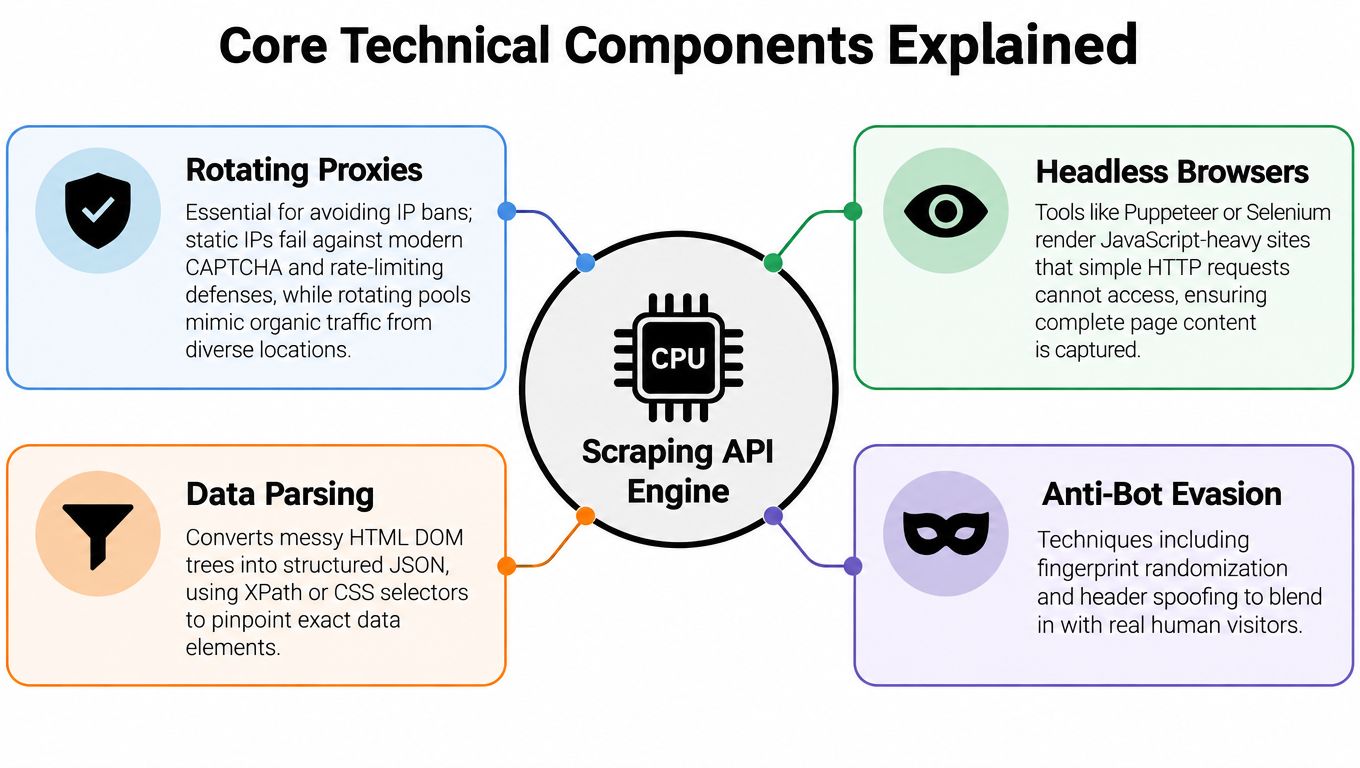
Modern scraping systems rise or fail on a few technical mechanisms, and the buying decision gets much clearer once you know what each one does. The most important distinction is not “API versus no API,” it's how much of the blocking and rendering problem the provider handles for you.
Proxies and why static IPs age badly
Static IPs are easy to fingerprint. A target site sees repetitive traffic from the same address pattern, and that becomes a signal for rate limiting or blocking. Rotating proxy pools help by spreading requests across more varied network identities, which makes the traffic look less mechanical.
That doesn't mean more proxies always solve the problem. If the site is strongly defended, IP diversity is only one part of the puzzle. The provider still has to manage headers, browser fingerprints, pacing, and the target's own anti-bot logic.
Browsers versus parsers
A parser can read HTML, but it can't invent content that only appears after the page runs JavaScript. That's where headless browsers matter. They render the page more like a real user session, which is essential for modern sites that push important content into client-side scripts.
You don't want a browser for every request. It adds overhead, and on simple pages it's unnecessary. The practical choice is to use parsing-first paths where possible, then fall back to browser rendering when the target depends on client-side execution or interaction.
Anti-bot handling and CAPTCHA reality
Anti-bot systems are rarely static. Targets change defenses over time, and providers have to keep adapting. That's why benchmarks matter more than feature lists, because the presence of a browser or proxy pool doesn't tell you whether the provider can survive the specific defenses on your sites.
The benchmark data shows the spread clearly. A 2026 test reported 93.14% success for Zyte API on one set with 11.15 seconds average response time, while another 2026 test found 99.00% success and 9.1 seconds average response time for Zenrows, versus 49.00% success and 36.0 seconds for ScraperAPI in the benchmark summary. That's not a small difference, it's the difference between a pipeline that mostly works and one that spends a lot of time failing.
Rate limits and backoff
At the systems level, throughput is capped by provider concurrency and per-IP limits. When you exceed those limits, you'll often see HTTP 429 responses, throttling, or queued requests until capacity opens up as described in the provider guidance. Throwing more parallelism at the job only helps until you hit the provider's own ceiling.
Operational rule: tune concurrency to the provider's published limits, then use retry and backoff logic to recover from bursts instead of assuming more workers always mean faster jobs.
That's why the best teams treat rate control as part of the architecture, not an afterthought. A fast scraper that falls over under load is usually less useful than a slightly slower one that stays steady under real traffic.
Performance Benchmarks and Selection Criteria
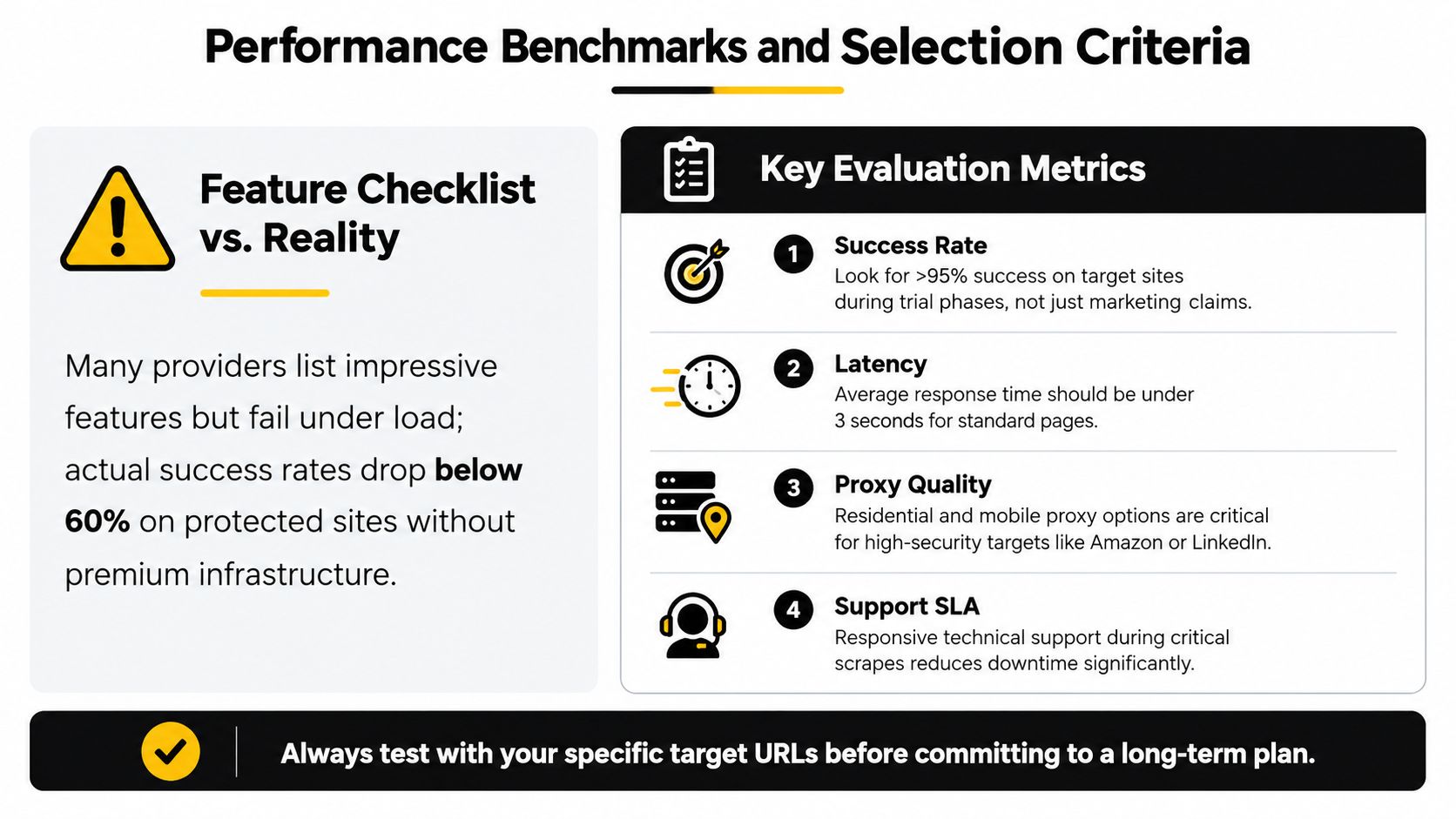
A feature list can look strong and still fail in production. The true test is how a provider behaves on your actual targets, because success rates shift sharply by site and a service that works well on one domain can struggle on another.
What the benchmarks are really telling you
Proxyway's 2025 benchmark tested 11 APIs against 15 protected websites and found that only four providers cleared 80% success, with Zyte leading on both speed and reliability in the report. The main lesson is variance. A provider that performs well on one target can look much weaker on another, so the headline ranking tells only part of the story.
That variability is the hidden cost of scraping infrastructure. You are not buying a generic tool, you are choosing a provider whose unblock strategy fits your target mix. If your workload depends on a small set of important sites, those sites should define the test plan.
How to evaluate a provider in practice
Start with the pages you need. Run the same URL set through each provider, then check whether the output is complete, stable, and parseable. A polished dashboard means little if pagination breaks, field names drift, or the result arrives too late to use.
Focus first on three factors. Success rate, because repeated failure creates retry overhead. Latency, because slow responses turn batch jobs into queue management. Cost transparency, because the actual price per usable result often differs from the headline price.
A practical comparison loop looks like this:
- Pick a narrow target list. Use the pages that matter to your product, not a vendor demo page.
- Test the same inputs twice. Some providers look strong on first contact and weaker under repeated load.
- Check field quality. Ask whether the page returned and whether the data is usable.
- Measure support behavior. When the target changes, fast technical support can matter as much as unblock quality.
What usually gets overlooked
The persistent gap in this market is cost transparency and success-rate variability by target site, not feature count as noted in the 2025 report. A platform that looks cheap on paper can become expensive if it fails often, because every failed extraction still consumes engineering time downstream.
Site defenses also change quickly. A 2026 industry summary cited TollBit data showing that in Q4 2025, 1 in 50 website visits came from an AI scraper, up from 1 in 200 earlier in 2025 in the industry summary. That level of pressure forces providers to keep adapting, so your test plan should assume a moving target.
Integration Code Examples
A scraping API only looks simple when the target site behaves predictably. In production, the hard part is handling partial responses, blocked requests, and schema drift without breaking downstream jobs. Good integration code makes those failures visible and recoverable.
The examples below stay small on purpose, but they reflect the patterns that survive real deployments. They also force an early decision about parsing and data contracts, which matters in the same way it does in other API integrations, including a speech-to-text API integration guide where raw responses still need normalization before they fit your app.
Python with retry handling
import requests
from time import sleep

API_KEY = "your_api_key"
url = "https://example.com/product"

headers = {
    "Authorization": f"Bearer {API_KEY}",
    "Accept": "application/json",
}

params = {
    "url": url,
    "render_js": True,
}

for attempt in range(3):
    resp = requests.get("https://api.provider.com/scrape", headers=headers, params=params, timeout=30)
    if resp.status_code == 200:
        data = resp.json()
        break
    if resp.status_code == 429:
        sleep(2 ** attempt)
        continue
    resp.raise_for_status()
cURL for quick testing
curl -G "https://api.provider.com/scrape" \
  -H "Authorization: Bearer YOUR_API_KEY" \
  --data-urlencode "url=https://example.com/product" \
  --data-urlencode "render_js=true"
JavaScript with basic parsing
const res = await fetch("https://api.provider.com/scrape?url=https%3A%2F%2Fexample.com%2Fproduct&render_js=true", {
  headers: {
    Authorization: `Bearer ${process.env.API_KEY}`,
    Accept: "application/json",
  },
});

if (!res.ok) throw new Error(`Request failed: ${res.status}`);
const body = await res.json();
console.log(body.title);
Parse the response into your own schema as early as possible. Vendor field shapes should not leak into the rest of your application, because provider updates can rename fields or wrap the payload differently. Keeping that boundary clean reduces maintenance when the scraping target changes or the provider adjusts its response format.
The legal side needs the same discipline. Public access does not mean unrestricted reuse. Review the site's terms, keep collection narrow, and treat sensitive categories with care, especially if the data could affect employment, credit, housing, or health decisions. A technical integration is incomplete if it ignores the rules around the data.
Best Practices and Common Pitfalls
The most common failure mode is overparallelizing too early. Teams see a slow crawl and assume more concurrency is the fix, then hit provider limits, get throttled, and make the pipeline less stable instead of faster. Once that happens, the right move is usually to reduce load, add backoff, and make retries smarter.
What stable pipelines do differently
Good pipelines assume failure. They log blocked responses, separate transient issues from persistent ones, and monitor output quality as a first-class metric. They also tune concurrency around the provider's limits instead of chasing raw worker counts.
That matters because the target site isn't static. Pages change, defenses change, and even the same target can behave differently across time windows or request patterns. The maintenance cost is not a bug, it's part of the operating model.
The second trap is using one success metric for every site. A provider can be excellent on one target and mediocre on another, which is why target-specific testing beats aggregate claims. That's also why vendor marketing pages are only the starting point, never the finish line.
Practical guardrails
- Set per-target baselines: Track success, latency, and parse completeness for the sites that matter most to your product.
- Use exponential backoff: Don't hammer a provider that is already signaling saturation or throttling.
- Separate fetch from transform: Keep the acquisition step distinct from your parsing and enrichment logic so failures are easier to isolate.
- Review terms before scale-up: Public data collection still needs a compliance review, especially when downstream use could affect people.
- Keep an exit path: If a provider stops covering one of your critical targets, you need a fallback plan.
The article you've read so far points in one direction, manage the acquisition layer like infrastructure, not like a script. That mindset helps when you're comparing providers, and it helps even more when you're deciding whether to build part of the stack yourself. For teams also thinking about how platform choices affect content access and reuse, Code Market's analysis of blocking Google's AI from content is a useful adjacent read, because the same long-term maintenance instincts apply.
The last mistake is assuming the job ends after the first successful scrape. It doesn't. You need ongoing monitoring, because target sites evolve and providers adapt at different speeds. If the data matters enough to power a product, it matters enough to observe continuously.
If you're comparing scraping infrastructure for a real project, start with three target URLs, test them against two providers, and compare success, latency, and usable output before you commit to a build or buy decision. If you need a broader catalog of developer tools and code assets around your stack, browse Code Market for adjacent building blocks, then use those real tests to decide what belongs in your pipeline.
This article was inspired by Outrank.