
wpDataTables - Tables and Charts Manager for WordPress

Description
wpDataTables is a powerful WordPress plugin for creating responsive tables, spreadsheets, and charts.
If you have any questions about pricing or your support period, feel free to get in touch with us. We’ll be happy to provide more details, help you explore available options, and share any current offers.





If you’d like to join our testers team, just reach out to us here and we’ll add you to the list. You’ll get early access to new features. Please note that this is available only to existing wpDataTables users.
Featured articles about wpDataTables
- WPKube – wpDataTables Plugin Review: Build Responsive Tables Quickly
- WPMayor – wpDataTables – a Plugin that Makes Tables in WordPress Easy
- WPLift – wpDataTables Review: Create Responsive Tables and Charts from a Range of Data Sources
- WPLift plugin listing
User reviews




Follow wpDataTables
Follow us on X Instagram Facebook YouTubeSupport
If you need help, we recommend checking our FAQ and documentation first. If you don’t find what you’re looking for, you can contact our support team through the contact page. We’re handling a high number of requests, so we appreciate your patience if replies take a bit longer.
Manual upgrade procedure (when a new version is released)
- Go to your FTP and open the WordPress plugins folder.
- Delete the old wpDataTables version folder.
- Upload the new version of wpDataTables.
- Go to the WP Admin panel and open the Plugins section.
- Deactivate wpDataTables, then activate it again.
Note: Do not delete the plugin from WP Admin if you want to keep your existing tables.
Minimum PHP version required
wpDataTables requires PHP version 7.4 or higher.
Changelog
We continuously improve wpDataTables with new features, enhancements, and bug fixes. View the changelog to see the full release history and latest updates.
Tutorials
- Installing and updating wpDataTables
- Creating a table from Excel with wpDataTables
- Creating a table in WordPress from MySQL with wpDataTables
- Creating an editable table in WordPress
Overview
wpDataTables helps you create responsive tables and charts for your WordPress site. You can build dynamic tables, display them anywhere on your website, and allow users to edit data directly from the front end.
Explore all available features in the features overview.
Features
A short overview of what wpDataTables can do:
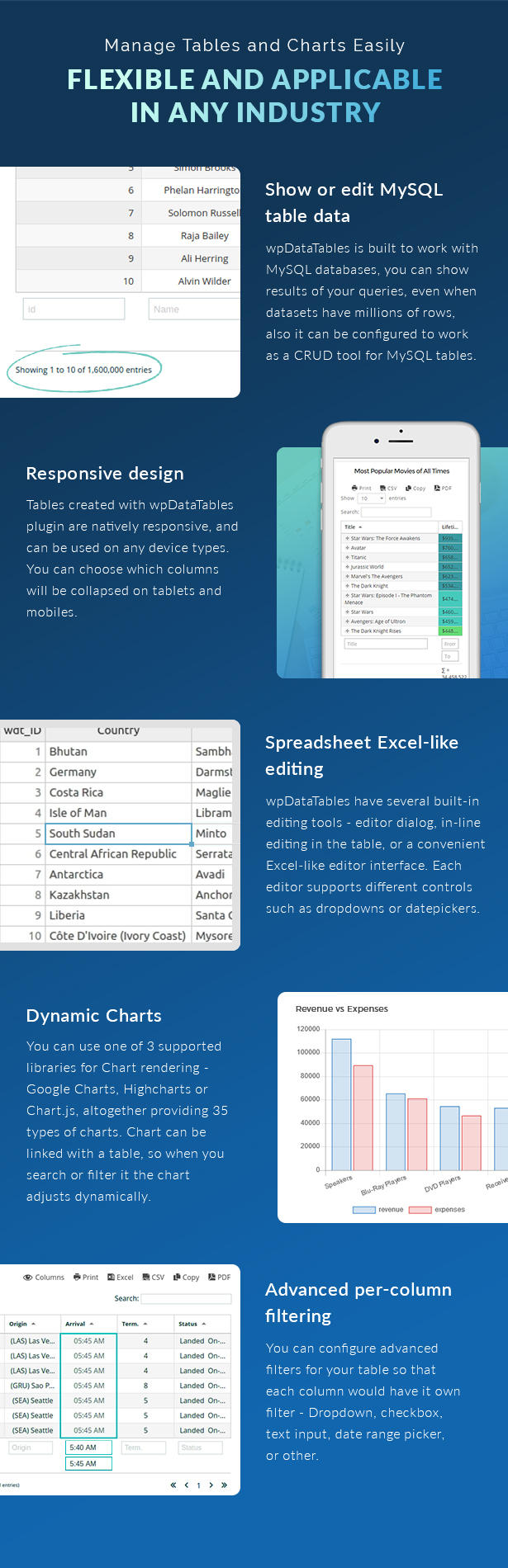
- Interactive front-end tables with filtering, sorting, and pagination powered by the DataTables library
- Server-side processing for MySQL-based tables
- Charts powered by Google Charts and Highcharts, synced with your table data
- Front-end editing for MySQL-based tables
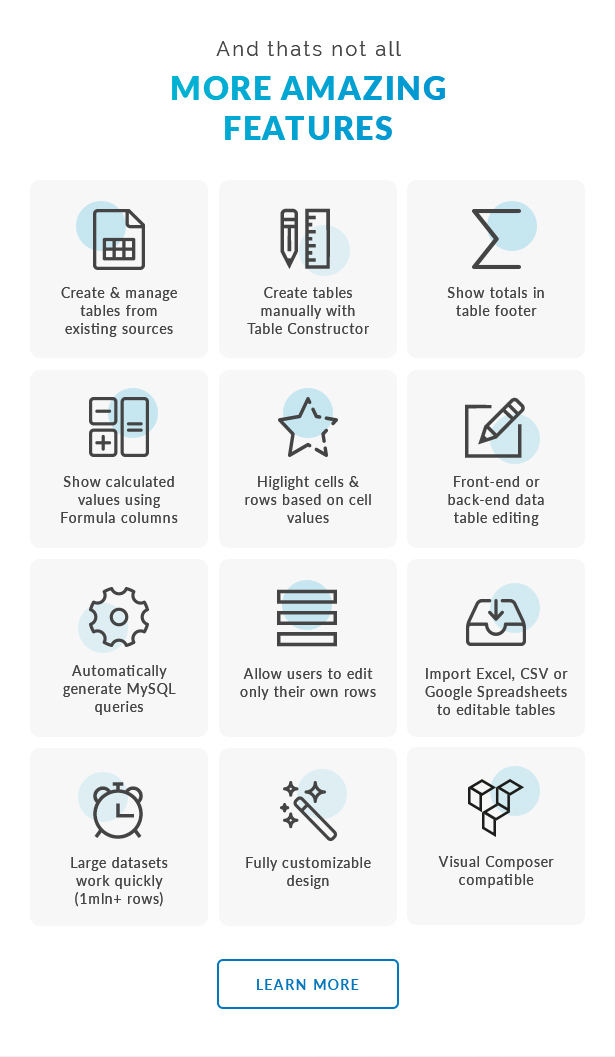
- Table constructor for building tables from the back end
- MySQL query generator to build queries without coding
- WordPress DB query generator
- Create editable tables from Excel or CSV files
- Fully responsive tables
- Export options including PDF, CSV, Excel, and clipboard copy
- Row grouping for better data organization
- Multiple data sources including Google Sheets, MySQL, Excel, CSV, JSON, and XML
- Customizable column types including text, numbers, links, dates, and images
Documentation and examples
Browse the documentation to learn how wpDataTables works and explore different use cases. If you’d like to see it in action and try it yourself, visit our demo site.
| Type | WordPress Plugin |
|---|---|
| Author | melograno-ventures |
| Category | Wordpress / Interface Elements / Tables |
| Price | $299 |
| Sales | 21,500 |
| Rating | 4.65 from 1,019 ratings |
| Published | Feb 5, 2013 |
| Last Update | Sep 10, 2026 |
| Compatible Browsers | IE11, Firefox, Safari, Opera, Chrome, Edge |
| Compatible Software | WordPress 6.9.x, WordPress 6.8.x, WordPress 6.7.x, WordPress 6.6.x, WordPress 6.5.x, WordPress 6.4.x, WordPress 6.3.x, WordPress 6.2.x, WordPress 6.1.x, WordPress 6.0.x, WordPress 5.9.x, WordPress 5.8.x, WordPress 5.7.x, WordPress 5.6.x, WordPress 5.5.x, WordPress 5.4.x, WordPress 5.3.x, WordPress 5.2.x, WordPress 5.1.x, WordPress 5.0.x, WordPress 4.9.x |
| Gutenberg Optimized | Yes |
| Source Files Included | JavaScript JS, JavaScript JSON, PHP |
Categories
Tags
External listing. code.market does not sell this product and does not process payment for it. Pricing, payment, delivery, licensing, refunds, and support are handled by the third-party merchant on its own website. We may earn an affiliate commission from a referral. Details.
Products of the Week.
Submit🥇

STOP GUESSING WHAT TO POST
AI that learns your brand voice and builds a month of consistent, on-brand social content: carousels, posts and hooks that sound like you, not like everyone else's AI.
SaaS · 3,969 views · 35 clicksSaaS · Week 45 · 3,969 views · 35 clicks
🥈

Conversational Backlinks for Busy Founders
Place Backlink Relevant Conversation for your domain across Forums and Conversations
Website · 41,615 views · 222 clicksWebsite · Week 45 · 41,615 views · 222 clicks
🥉

upvote.club
Free Social Media Engagement that Helps Boost Your Content. Upvote Club supports 19 social networks with 100+ engagement actions in one dashboard. Add links to your posts and get free engagement from real users.
SaaS · 39,643 views · 114 clicksSaaS · Week 45 · 39,643 views · 114 clicks
#4

Substack Posting API
Onboard your Agent to Substack. Write Publish on Substack via API
SaaS · 58,672 views · 198 clicksSaaS · Week 45 · 58,672 views · 198 clicks
#5

Seenshot App
Free, Fast, MacOS Screenshot app. Make Screenshot cmd+shift+2 and send it via link
Desktop App · 28,054 views · 122 clicksDesktop App · Week 45 · 28,054 views · 122 clicks
#6

Hand-Placed Backlinks $9.99 per link. Flat rate.
Buy hand-placed forum, Q-A and directory backlinks. Flat $9.99 per link, no subscriptions — you only pay for approved listings.
Website · 3,912 views · 19 clicksWebsite · Week 45 · 3,912 views · 19 clicks
#7

Free Invoice Generator - PDF Invoices in Your Browser, No Sign-Up
A free invoice maker for freelancers and small businesses: fill in the invoice, check the live preview, and download a PDF that looks exactly like it. Any currency, tax per item, three templates, no sign-up, and nothing leaves your device.
2,591 views · 17 clicksWeek 45 · 2,591 views · 17 clicks
#8

Merge PDF Files Free - Combine PDFs in Your Browser, No Upload
A free PDF merger for office workers, students, and freelancers: combine PDFs and images into one file in the browser, reorder files and pages, pick page ranges, keep bookmarks, and open password-protected PDFs. Nothing is uploaded, no sign-up, no watermark.
2,413 views · 13 clicksWeek 45 · 2,413 views · 13 clicks