
Video Editor And Converter - iOS app Template by Novlasoft
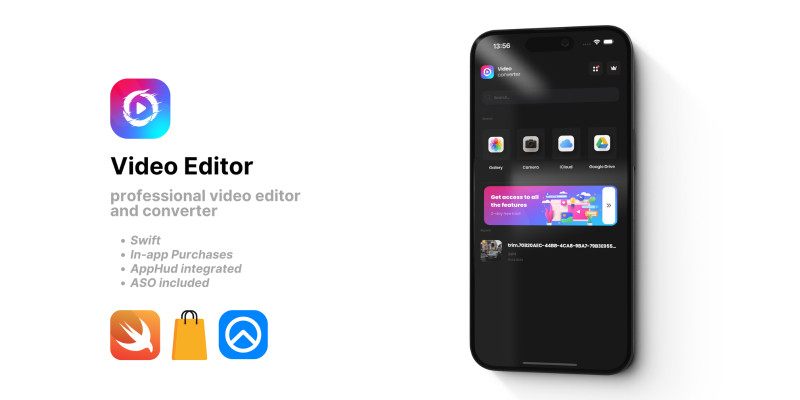
Description
Video Editor & Converter is a powerful, user-friendly app that allows you to create, edit, and convert videos effortlessly on your iOS device.
App Details:
1. Built with UIKit and Swift: Developed using the latest iOS technologies for a smooth and responsive user experience.
2. iOS 14+ Compatibility: Optimized for iOS 14 and later versions, ensuring compatibility with the latest Apple devices.
3. Integrated with AppHud: Seamless in-app purchases and subscriptions powered by AppHud for a convenient and secure transaction process.
4. Designed for All Skill Levels: Accessible to users of all skill levels, from beginners to professionals.
5. Intuitive Interface: Easy-to-use tools make it simple to create stunning videos in just a few taps.
6. Versatile Usage: Perfect for creating videos for social media, professional projects, or personal memories.
Features
Key Features:
1. Trim and Cut: Easily trim and cut your videos to remove unwanted parts or create custom clips.
2. Merge Videos: Combine multiple videos into a single, cohesive video project.
3. Add Music: Enhance your videos with background music or custom audio tracks.
4. Apply Filters: Transform your videos with a wide range of filters and effects.
5. Adjust Settings: Fine-tune your videos with adjustable settings for brightness, contrast, saturation, and more.
6. Export Options: Export your videos in multiple formats, including MP4, AVI, and MOV, and share them directly from the app.
Download Video Editor & Converter now and start creating amazing videos on your iOS device today!
Requirements
Xcode 14+ is required
| Author | novlasoft |
|---|---|
| Category | App Templates / iOS |
| Price | $84 |
| Extended License | $252 |
| First Release | Apr 2, 2024 |
| Last Update | Apr 2, 2024 |
| Operating systems | iOS 14.0, iOS 15.0 |
Categories
Tags
External listing. code.market does not sell this product and does not process payment for it. Pricing, payment, delivery, licensing, refunds, and support are handled by the third-party merchant on its own website. We may earn an affiliate commission from a referral. Details.
Products of the Week.
Submit🥇

STOP GUESSING WHAT TO POST
AI that learns your brand voice and builds a month of consistent, on-brand social content: carousels, posts and hooks that sound like you, not like everyone else's AI.
SaaS · 3,581 views · 33 clicksSaaS · Week 45 · 3,581 views · 33 clicks
🥈

Conversational Backlinks for Busy Founders
Place Backlink Relevant Conversation for your domain across Forums and Conversations
Website · 41,101 views · 222 clicksWebsite · Week 45 · 41,101 views · 222 clicks
🥉

upvote.club
Free Social Media Engagement that Helps Boost Your Content. Upvote Club supports 19 social networks with 100+ engagement actions in one dashboard. Add links to your posts and get free engagement from real users.
SaaS · 39,161 views · 113 clicksSaaS · Week 45 · 39,161 views · 113 clicks
#4

Substack Posting API
Onboard your Agent to Substack. Write Publish on Substack via API
SaaS · 58,195 views · 198 clicksSaaS · Week 45 · 58,195 views · 198 clicks
#5

Seenshot App
Free, Fast, MacOS Screenshot app. Make Screenshot cmd+shift+2 and send it via link
Desktop App · 27,586 views · 120 clicksDesktop App · Week 45 · 27,586 views · 120 clicks
#6

Hand-Placed Backlinks $9.99 per link. Flat rate.
Buy hand-placed forum, Q-A and directory backlinks. Flat $9.99 per link, no subscriptions — you only pay for approved listings.
Website · 3,472 views · 18 clicksWebsite · Week 45 · 3,472 views · 18 clicks
#7

Free Invoice Generator - PDF Invoices in Your Browser, No Sign-Up
A free invoice maker for freelancers and small businesses: fill in the invoice, check the live preview, and download a PDF that looks exactly like it. Any currency, tax per item, three templates, no sign-up, and nothing leaves your device.
2,162 views · 16 clicksWeek 45 · 2,162 views · 16 clicks
#8

Merge PDF Files Free - Combine PDFs in Your Browser, No Upload
A free PDF merger for office workers, students, and freelancers: combine PDFs and images into one file in the browser, reorder files and pages, pick page ranges, keep bookmarks, and open password-protected PDFs. Nothing is uploaded, no sign-up, no watermark.
2,004 views · 13 clicksWeek 45 · 2,004 views · 13 clicks