
NodeJS REST API Generator from MySQL + Postman Json + JWT Auth - Windows
Description
Automatically Create professional ready to use REST API from MySQL Database With Postman Docs and JWT Authentication in NodeJS
Quick & Free Email or Skype Support
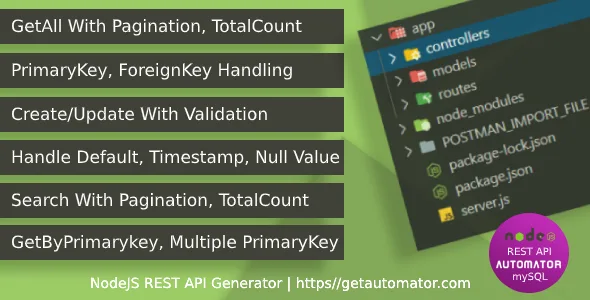
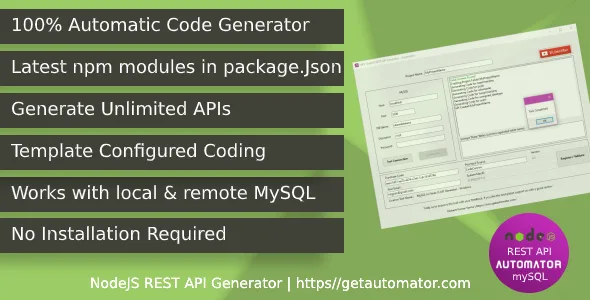
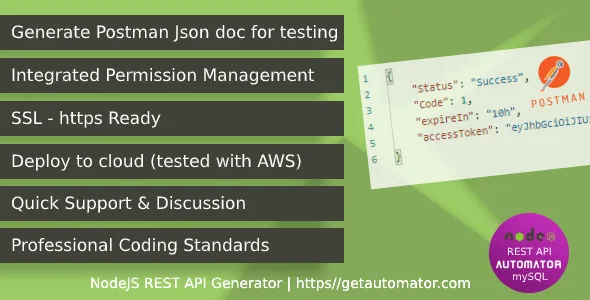
Includes Automatic Generated Postman Json for Quick Ready To Use API
What is NodeJS REST API Generator?
Created with the most trusted and popular JavaScript technologies, NodeJS REST API Generator is a powerful and intuitive solution to create REST API from MySQL.
With windows application it gives you flexibility to generate the REST API any number of times. Any modification in your database you have tool to generate the code again. No Installation required to run the API Generator
REST API Generator performs an in-depth analysis of your mysql database: all types of relationships between tables, primary and foreign keys, field types and values, validation, etc.
This intelligent analysis is used to pre-configure the options adapted to each endpoint of the generated REST API.
Generate a full-featured REST API
The generated code can be hosted to your cloud server or shared hosting cpanel and it will be ready to use within a minute of time.
Generator tool also generate the POSTMAN import file according to the REST API and help you to quickly start your testing.
Smart Database Analysis
- Primary keys detection and interpretation
- Secondary keys detection and interpretation
- Detection of all types of relationships
- Smart integration of internal/external relationships in CRUD
- Smart field type detection and integration
- Detection and integration of validation types


Customer feedback :
Well, I’m not Web Developer. And with this tool I’m easily getting knowledge in Node, JWT token and how to create APIs for web. Thank you Nishant! And with this tool I’m easily
This tool is very helpful to us, it saves a lot of work, especially when you’re on a tight schedule. The support is great and very responsive as well, you don’t have to wait for so long Congrats man! Keep it up! More success to you. Thanks for this tool!
This is an awesome product, coupled with a great support from the publisher and the ease of usability… I strongly recommend this amazing product!
This is best product and the author gives best support at any time. Go for it. You will not regret. Its a developers word.
Change-log
V3.4: 28th January 2023
 - Update fix for bit column
V3.3: 1st September 2022
 - JWT login fix
 - Update fix for postman file
 - Return data after insert
V3.2: 08th August 2022
- Update Patch - Added Validation
- Primary Key without auto increment will be handled now properly
- Get by foreign key column bug fix
- Binary data type handling
- Join query fix for null value in left table
- Code/Cleanup & security validation
V3.1: 23rd April 2022
 - Security update
-  Update body validation fix
 - Search fix
V3.0: 22nd April 2022
    - New & improved code base
    - Env file support
    - File uploads
    - One to many auto generated endpoints
    - SSL support
V2:4: 26th October 2021
        - Generate a patch endpoint (update only passed column) + Postman json updated accordingly
        - Some more help added for newbies
 V2:3: 18th October 2021
         - Try catch added
         - Encryption/Decryption updated to latest version
         - New endpoint added [e.g If you have products with category id as FK,
           it will automatically create endpoint to get product by category id] cool?
V2.2: 08nd December 2020
         - Bug fixes for multiple primary key
 V2.1 - 03rd December 2020
          - Multiple primary key bug fix
          - Search bug fixed
 V2.0: 25th November 2020
       - Complete improvement of tool
       - Multiple primary key support
       - Search query fix
      - TotalNumber of records, PageNo, PageSize added to GetAll, Search endpoint
      - Postman Json improved
      - Exempt Table functionality added
      - All npm module upgraded to latest version
 V1.7:  2nd October 2020 - Bug fixes
           - Bug fix
           - Code improvement
 V1.0: - Initial Release
V3.4: 28th January 2023
- Update fix for bit column
V3.3: 1st September 2022
- JWT login fix
- Update fix for postman file
- Return data after insert
V3.2: 08th August 2022
- Update Patch - Added Validation
- Primary Key without auto increment will be handled now properly
- Get by foreign key column bug fix
- Binary data type handling
- Join query fix for null value in left table
- Code/Cleanup & security validation
V3.1: 23rd April 2022
- Security update
- Update body validation fix
- Search fix
V3.0: 22nd April 2022
- New & improved code base
- Env file support
- File uploads
- One to many auto generated endpoints
- SSL support
V2:4: 26th October 2021
- Generate a patch endpoint (update only passed column) + Postman json updated accordingly
- Some more help added for newbies
V2:3: 18th October 2021
- Try catch added
- Encryption/Decryption updated to latest version
- New endpoint added [e.g If you have products with category id as FK,
it will automatically create endpoint to get product by category id] cool?
V2.2: 08nd December 2020
- Bug fixes for multiple primary key
V2.1 - 03rd December 2020
- Multiple primary key bug fix
- Search bug fixed
V2.0: 25th November 2020
- Complete improvement of tool
- Multiple primary key support
- Search query fix
- TotalNumber of records, PageNo, PageSize added to GetAll, Search endpoint
- Postman Json improved
- Exempt Table functionality added
- All npm module upgraded to latest version
V1.7: 2nd October 2020 - Bug fixes
- Bug fix
- Code improvement
V1.0: - Initial Release
Categories
Tags
External listing. code.market does not sell this product and does not process payment for it. Pricing, payment, delivery, licensing, refunds, and support are handled by the third-party merchant on its own website. We may earn an affiliate commission from a referral. Details.
Products of the Week.
Submit🥇

STOP GUESSING WHAT TO POST
AI that learns your brand voice and builds a month of consistent, on-brand social content: carousels, posts and hooks that sound like you, not like everyone else's AI.
SaaS · 3,993 views · 35 clicksSaaS · Week 45 · 3,993 views · 35 clicks
🥈

Conversational Backlinks for Busy Founders
Place Backlink Relevant Conversation for your domain across Forums and Conversations
Website · 41,645 views · 222 clicksWebsite · Week 45 · 41,645 views · 222 clicks
🥉

upvote.club
Free Social Media Engagement that Helps Boost Your Content. Upvote Club supports 19 social networks with 100+ engagement actions in one dashboard. Add links to your posts and get free engagement from real users.
SaaS · 39,670 views · 114 clicksSaaS · Week 45 · 39,670 views · 114 clicks
#4

Substack Posting API
Onboard your Agent to Substack. Write Publish on Substack via API
SaaS · 58,698 views · 198 clicksSaaS · Week 45 · 58,698 views · 198 clicks
#5

Seenshot App
Free, Fast, MacOS Screenshot app. Make Screenshot cmd+shift+2 and send it via link
Desktop App · 28,081 views · 122 clicksDesktop App · Week 45 · 28,081 views · 122 clicks
#6

Hand-Placed Backlinks $9.99 per link. Flat rate.
Buy hand-placed forum, Q-A and directory backlinks. Flat $9.99 per link, no subscriptions — you only pay for approved listings.
Website · 3,940 views · 19 clicksWebsite · Week 45 · 3,940 views · 19 clicks
#7

Free Invoice Generator - PDF Invoices in Your Browser, No Sign-Up
A free invoice maker for freelancers and small businesses: fill in the invoice, check the live preview, and download a PDF that looks exactly like it. Any currency, tax per item, three templates, no sign-up, and nothing leaves your device.
2,617 views · 17 clicksWeek 45 · 2,617 views · 17 clicks
#8

Merge PDF Files Free - Combine PDFs in Your Browser, No Upload
A free PDF merger for office workers, students, and freelancers: combine PDFs and images into one file in the browser, reorder files and pages, pick page ranges, keep bookmarks, and open password-protected PDFs. Nothing is uploaded, no sign-up, no watermark.
2,436 views · 13 clicksWeek 45 · 2,436 views · 13 clicks