
ESP32-CAM Live Streaming Flutter App

Description
 Project Description
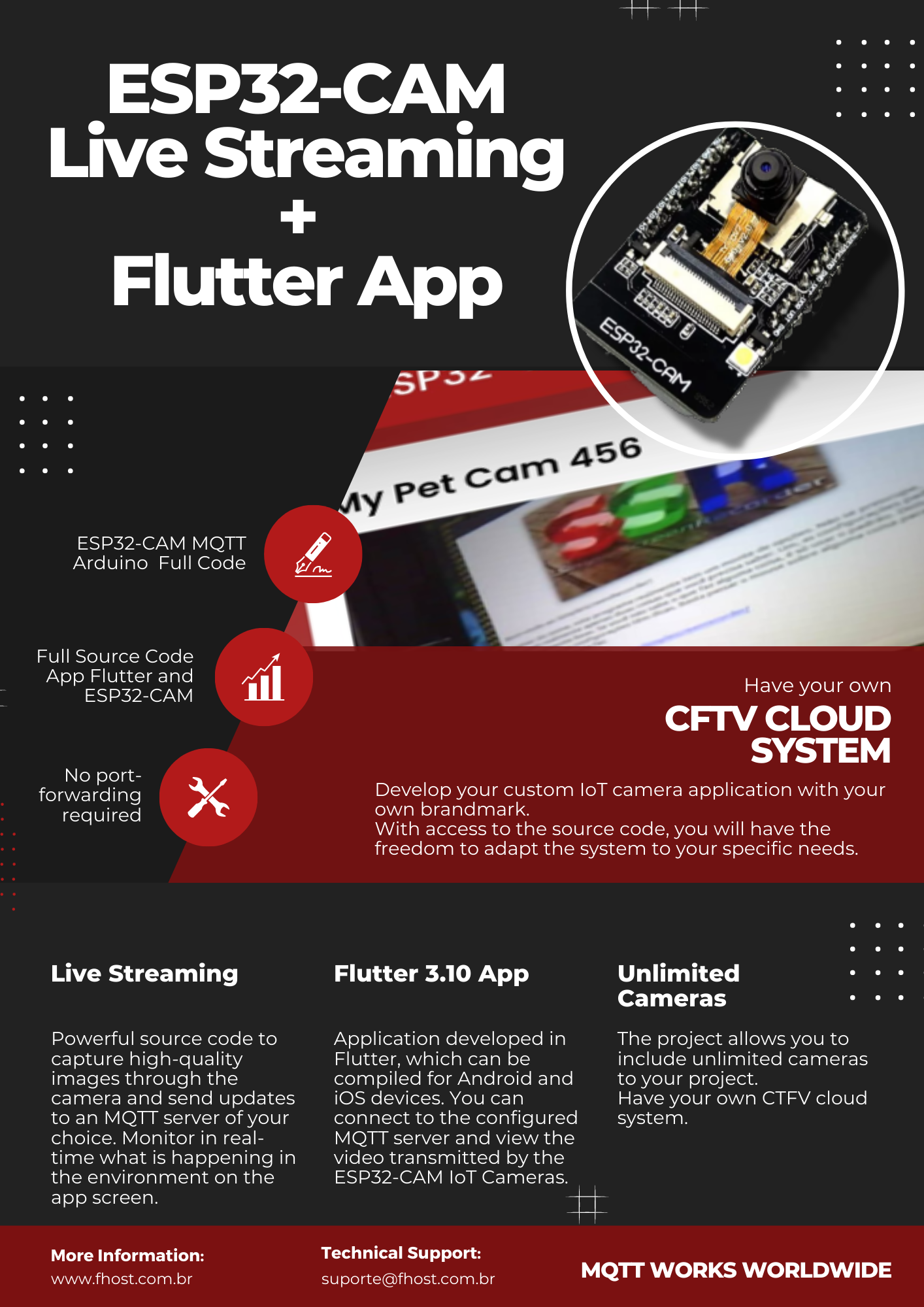
Welcome to the ESP32-CAM IoT Camera Live Streaming system! Our product offers a complete and versatile solution for developing IoT camera applications (Internet of Things).
The system is divided into two main parts: Arduino code adapted for the ESP32-CAM board and an Android and iOS application developed in Flutter 3.35.6 • Dart 3.9.2.
The first part of the system consists of Arduino code specifically adapted for the ESP32-CAM board. With this powerful source code, you will have the ability to capture high-quality images through the integrated camera module and send frequent updates to an MQTT server of your choice. This constant communication allows you to monitor in real-time what is happening in the monitored environment on the app screen.
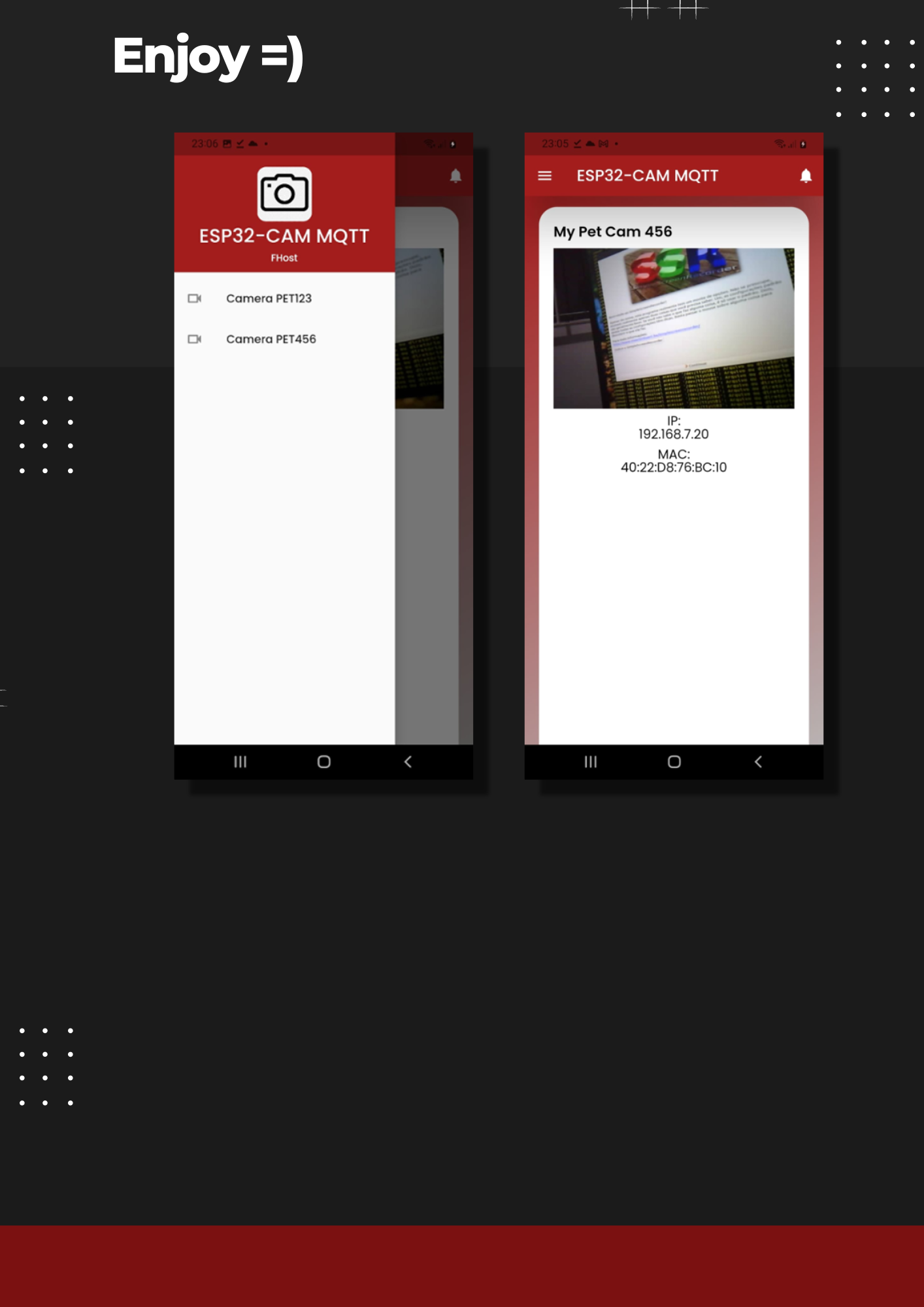
The second part of the system is the application developed in Flutter, which can be compiled for both Android and iOS devices. With this intuitive and user-friendly application, you can connect to the configured MQTT server and view the video transmitted by the ESP32-CAM IoT Cameras.
A special feature of our product is the possibility for you to develop your custom IoT camera application with your logo. With access to the source code, you will have the freedom to adapt the system to your specific needs.
We offer a complete and customizable solution, allowing you to efficiently develop your own IoT camera application. The ESP32-CAM IoT Camera is ideal for monitoring residential, commercial environments, or any place that requires advanced security and connectivity. Our product comes with a tutorial to assist you with the setup and usage.
If you are looking for a versatile and user-friendly solution to develop IoT camera applications, the ESP32-CAM IoT Camera is the perfect choice. Contact us today for more information on pricing and licensing options. We are ready to help you create your own IoT camera application and enjoy the benefits of the Internet of Things!
System Requirements
To make the most of our system, it’s important to be aware of the requirements needed to run both the first part, the Arduino code, and the second part, the Flutter application.
For the first part of the system, the Arduino code, we provide the complete source code along with all the necessary libraries and tools for compilation. This way, you will have access to all the functionalities and be able to customize the code according to your needs.
It is recommended to have basic knowledge of Arduino programming and familiarity with the Arduino IDE development environment.
As for the second part of the system, the Flutter application, you will need a computer running Windows and some specific requirements. To develop and run Flutter applications, we recommend the following minimum requirements:
- SO: Windows 10, Linux, macOS.
- Processor: Intel Core i5.
- RAM: 8 GB or more.
- Disk Space: 8 GB free space.
- Development tools: Flutter SDK, Dart SDK e Visual Studio Code.
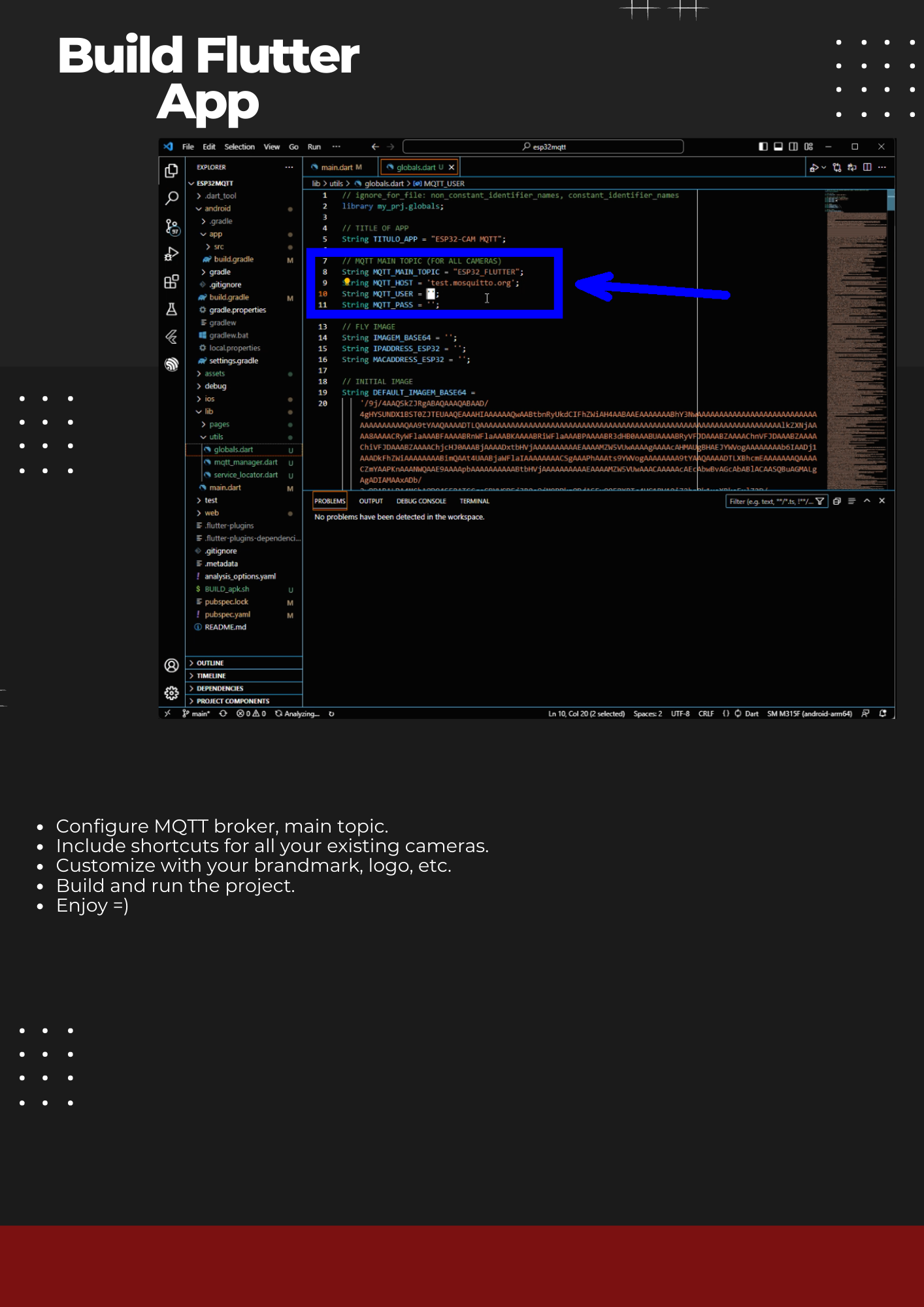
To set up the Flutter development environment, you will need to follow the installation steps for the Flutter SDK and Dart SDK. Additionally, it is recommended to use Visual Studio Code as the code editor, along with the available Flutter extensions to facilitate development.
Once you meet these requirements, you will be ready to compile the Arduino code and develop the Flutter application. Remember to refer to the documentation provided along with the source code and seek additional online resources for support and guidance during the setup and development process.
We are committed to providing the best possible experience when using our system. If you need further assistance or have any questions regarding the requirements, please feel free to contact us. We are here to help and ensure your success in your IoT Camera project!
Mobile App Features
- Development in Flutter a cross-platform mobile development framework by Google and a great open-source community.
- Flutter app can be natively complied to target platforms including: Android, iOS, Windows Linux, MacOS.
- Clean code which can be easily customized and branded for your own projects.
- ESP32-CAM Arduino Code
- Tested firmware, ready to deploy for your personal and commercial projects.
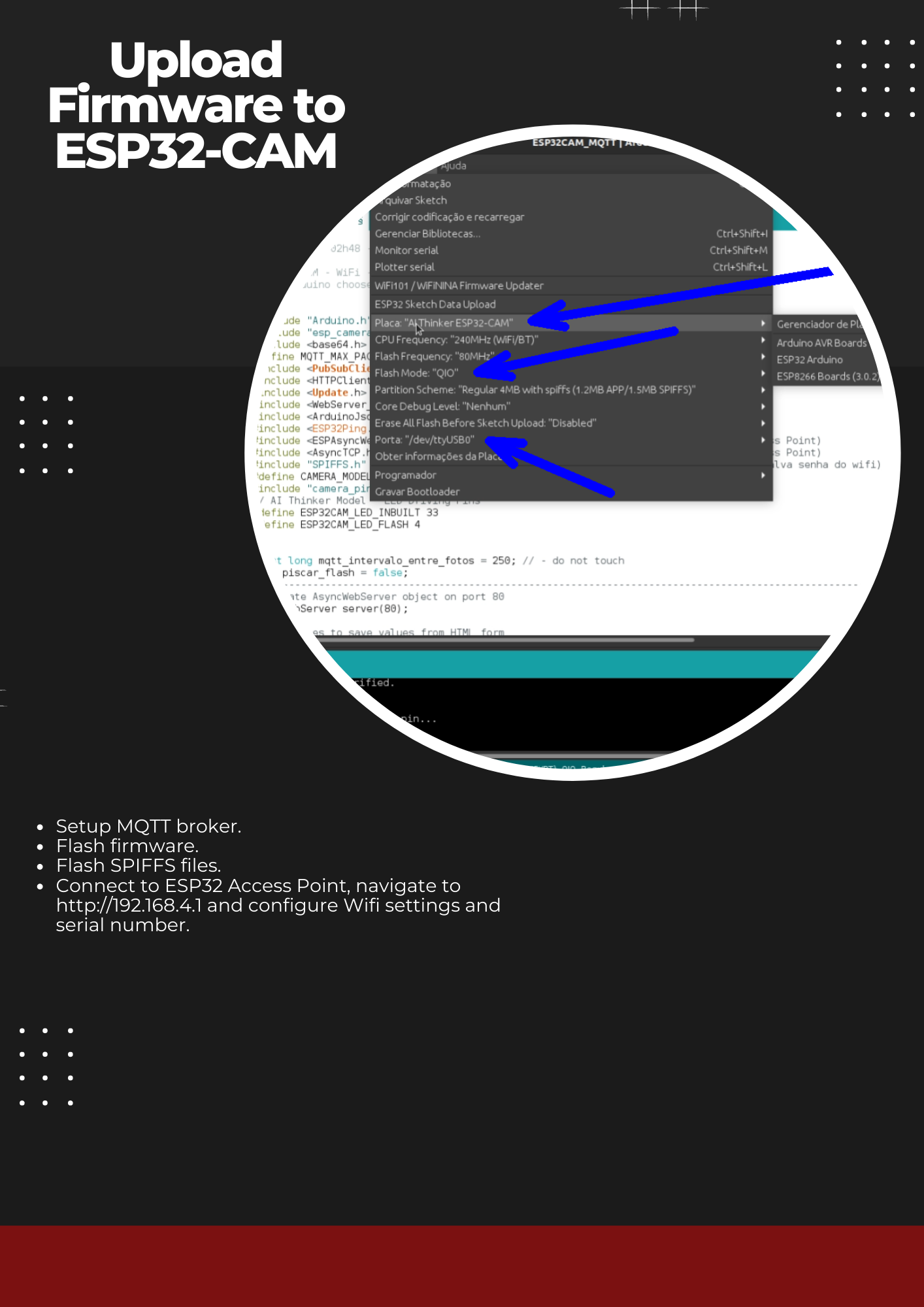
- Wi-Fi and Serial Number Configuration Pages through AP Mode and Captive Portal (http://192.168.4.1)
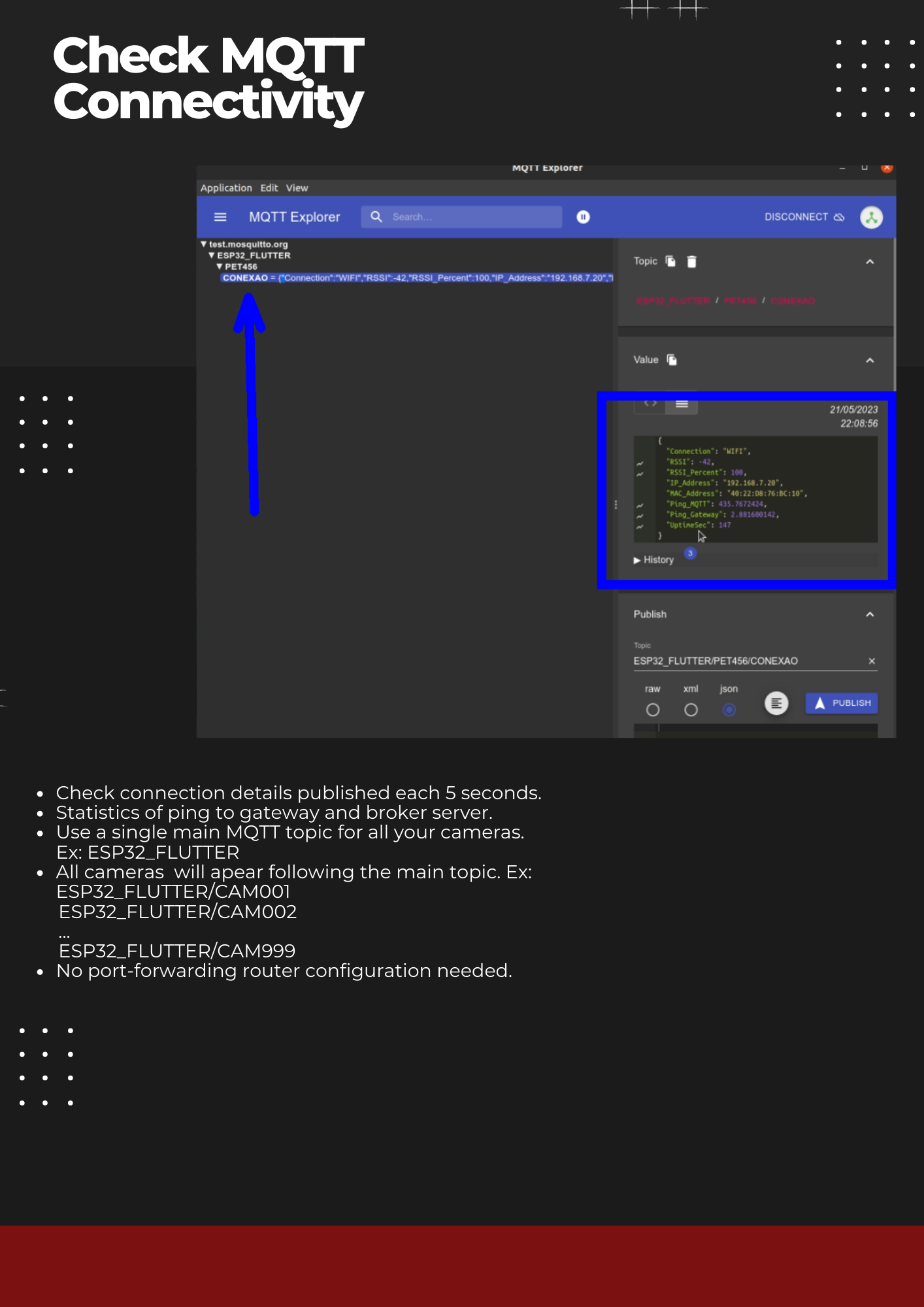
- MQTT Protocol.
- ESP32-CAM Arduino Code
- Highly resilient firmware with persisting configuration and auto-retry logic
- Clean Code with comments and documentation for easy customization and modifications for your own projects.
Last Update: 2025-07-21
Download Demo Android APK:
| Type | Flutter App |
|---|---|
| Author | fnandomaia |
| Category | Mobile / Flutter / Full Applications |
| Price | $14 |
| Sales | 7 |
| Published | Jun 2, 2023 |
| Last Update | Dec 2, 2025 |
| Compatible Software | Flutter 3.x |
| Mobile Files Included | Dart, YAML, .java, .kotlin |
Categories
Tags
External listing. code.market does not sell this product and does not process payment for it. Pricing, payment, delivery, licensing, refunds, and support are handled by the third-party merchant on its own website. We may earn an affiliate commission from a referral. Details.
Products of the Week.
Submit🥇

STOP GUESSING WHAT TO POST
AI that learns your brand voice and builds a month of consistent, on-brand social content: carousels, posts and hooks that sound like you, not like everyone else's AI.
SaaS · 4,291 views · 38 clicksSaaS · Week 45 · 4,291 views · 38 clicks
🥈

Conversational Backlinks for Busy Founders
Place Backlink Relevant Conversation for your domain across Forums and Conversations
Website · 42,004 views · 223 clicksWebsite · Week 45 · 42,004 views · 223 clicks
🥉

upvote.club
Free Social Media Engagement that Helps Boost Your Content. Upvote Club supports 19 social networks with 100+ engagement actions in one dashboard. Add links to your posts and get free engagement from real users.
SaaS · 40,045 views · 117 clicksSaaS · Week 45 · 40,045 views · 117 clicks
#4

Substack Posting API
Onboard your Agent to Substack. Write Publish on Substack via API
SaaS · 59,054 views · 198 clicksSaaS · Week 45 · 59,054 views · 198 clicks
#5

Seenshot App
Free, Fast, MacOS Screenshot app. Make Screenshot cmd+shift+2 and send it via link
Desktop App · 28,432 views · 122 clicksDesktop App · Week 45 · 28,432 views · 122 clicks
#6

Hand-Placed Backlinks $9.99 per link. Flat rate.
Buy hand-placed forum, Q-A and directory backlinks. Flat $9.99 per link, no subscriptions — you only pay for approved listings.
Website · 4,264 views · 19 clicksWebsite · Week 45 · 4,264 views · 19 clicks
#7

Free Invoice Generator - PDF Invoices in Your Browser, No Sign-Up
A free invoice maker for freelancers and small businesses: fill in the invoice, check the live preview, and download a PDF that looks exactly like it. Any currency, tax per item, three templates, no sign-up, and nothing leaves your device.
2,940 views · 17 clicksWeek 45 · 2,940 views · 17 clicks
#8

Merge PDF Files Free - Combine PDFs in Your Browser, No Upload
A free PDF merger for office workers, students, and freelancers: combine PDFs and images into one file in the browser, reorder files and pages, pick page ranges, keep bookmarks, and open password-protected PDFs. Nothing is uploaded, no sign-up, no watermark.
2,717 views · 13 clicksWeek 45 · 2,717 views · 13 clicks