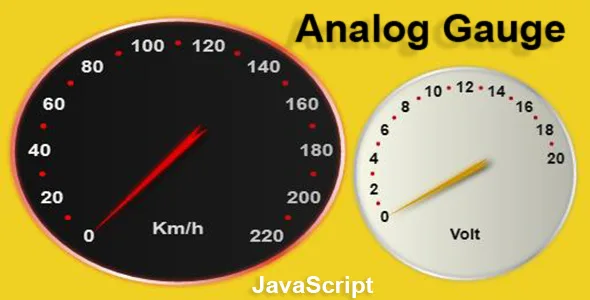
Analog Gauge Javascript
Description
Usage
First add one div in your .html file.
<div id='gaugeDiv' style="width: 750px; height: 700px;background-color: rgb(145, 145, 145); "></div>
Next load the Javascript file.
<script src='gauge.js' ></script>
Next create instance of Gauge ang give the id of div.
var gKm = new Gauge('gaugeDiv'); // gKm instance
Now customization the gauge as you wish.
Example:
    gKm.Scale(1.8,1.5);   // size scale of gauge
    gKm.Position(-10,0);  // position in div element
    gKm.MinValue=0;       //  min number to measure
    gKm.MaxValue=220;     // max number to measure
    gKm.StartPos=-140;    // start position  min number
    gKm.EndPos=140;       // start position  max number
    gKm.Numbers=12;       // counter number to displayed
    gKm.Text='Km/h';      // text to display
    gKm.FontSize=10;      // size of numbers and text
    gKm.NumberColor='#ffffff';
    gKm.BackColor='#111111';
    gKm.OutlineColor='#dd4433';
    gKm.NeedleColor='#ffffff';
    gKm.SetValue=120; // the needle moves to 120
    gKm.MoveTime=.3; // move time from one position to another in seconds.(Default is .7 sec)
ONLY canvas. NOT dependencies from other Plugins. Compatible Browsers: Edge,Chrome,Firefox,Opera
Categories
Tags
External listing. code.market does not sell this product and does not process payment for it. Pricing, payment, delivery, licensing, refunds, and support are handled by the third-party merchant on its own website. We may earn an affiliate commission from a referral. Details.
Products of the Week.
Submit🥇

STOP GUESSING WHAT TO POST
AI that learns your brand voice and builds a month of consistent, on-brand social content: carousels, posts and hooks that sound like you, not like everyone else's AI.
SaaS · 4,287 views · 38 clicksSaaS · Week 45 · 4,287 views · 38 clicks
🥈

Conversational Backlinks for Busy Founders
Place Backlink Relevant Conversation for your domain across Forums and Conversations
Website · 41,998 views · 223 clicksWebsite · Week 45 · 41,998 views · 223 clicks
🥉

upvote.club
Free Social Media Engagement that Helps Boost Your Content. Upvote Club supports 19 social networks with 100+ engagement actions in one dashboard. Add links to your posts and get free engagement from real users.
SaaS · 40,039 views · 117 clicksSaaS · Week 45 · 40,039 views · 117 clicks
#4

Substack Posting API
Onboard your Agent to Substack. Write Publish on Substack via API
SaaS · 59,049 views · 198 clicksSaaS · Week 45 · 59,049 views · 198 clicks
#5

Seenshot App
Free, Fast, MacOS Screenshot app. Make Screenshot cmd+shift+2 and send it via link
Desktop App · 28,423 views · 122 clicksDesktop App · Week 45 · 28,423 views · 122 clicks
#6

Hand-Placed Backlinks $9.99 per link. Flat rate.
Buy hand-placed forum, Q-A and directory backlinks. Flat $9.99 per link, no subscriptions — you only pay for approved listings.
Website · 4,258 views · 19 clicksWebsite · Week 45 · 4,258 views · 19 clicks
#7

Free Invoice Generator - PDF Invoices in Your Browser, No Sign-Up
A free invoice maker for freelancers and small businesses: fill in the invoice, check the live preview, and download a PDF that looks exactly like it. Any currency, tax per item, three templates, no sign-up, and nothing leaves your device.
2,935 views · 17 clicksWeek 45 · 2,935 views · 17 clicks
#8

Merge PDF Files Free - Combine PDFs in Your Browser, No Upload
A free PDF merger for office workers, students, and freelancers: combine PDFs and images into one file in the browser, reorder files and pages, pick page ranges, keep bookmarks, and open password-protected PDFs. Nothing is uploaded, no sign-up, no watermark.
2,711 views · 13 clicksWeek 45 · 2,711 views · 13 clicks