Split PDF Free - Split PDF Pages in Your Browser, No Upload
Description
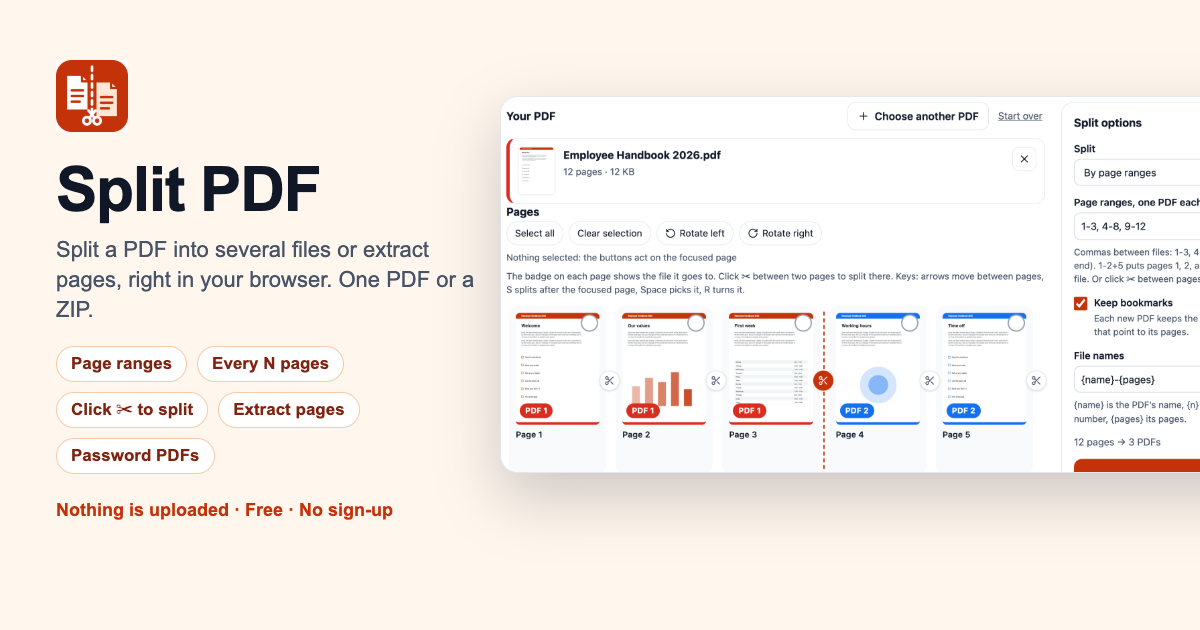
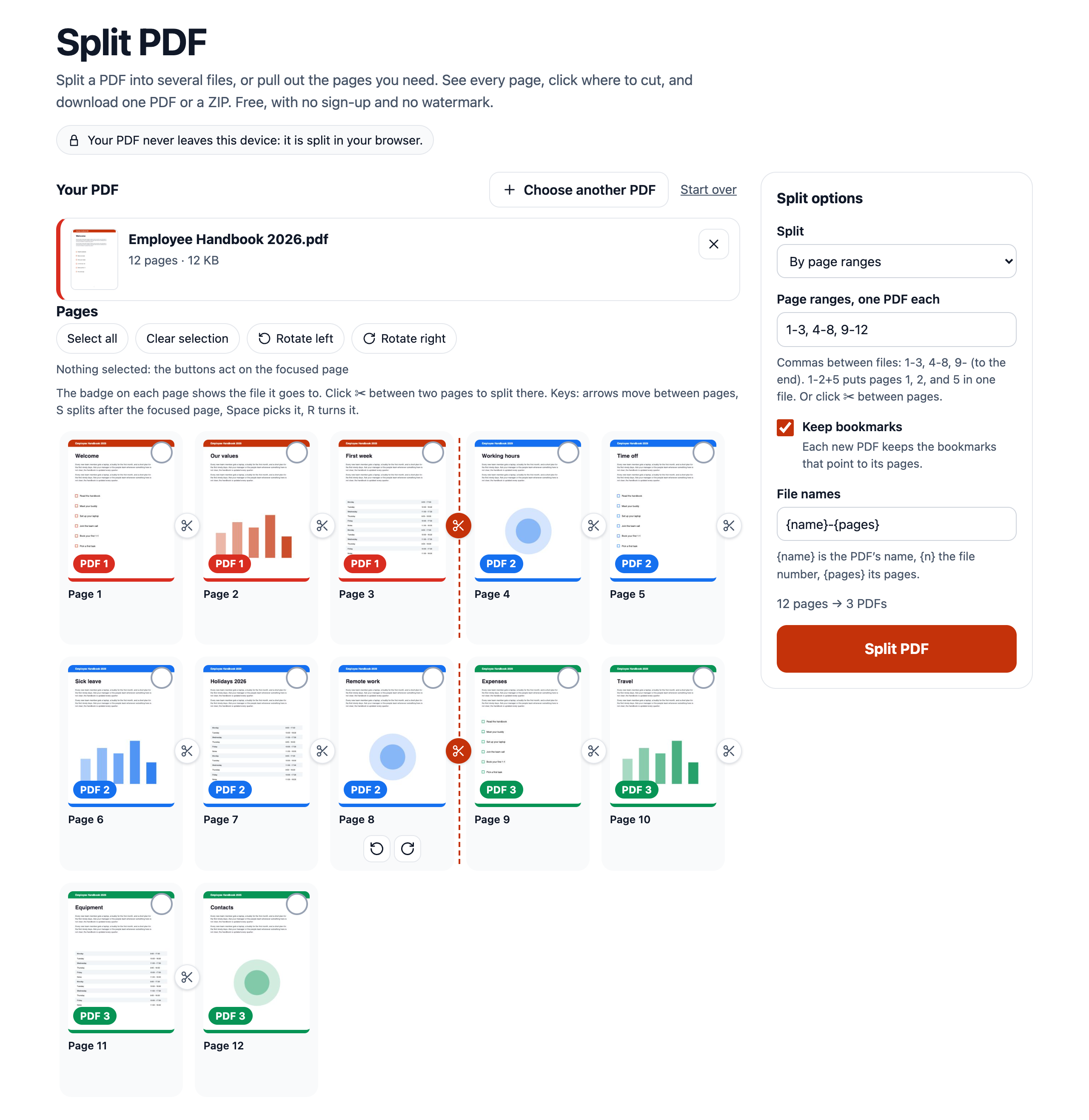
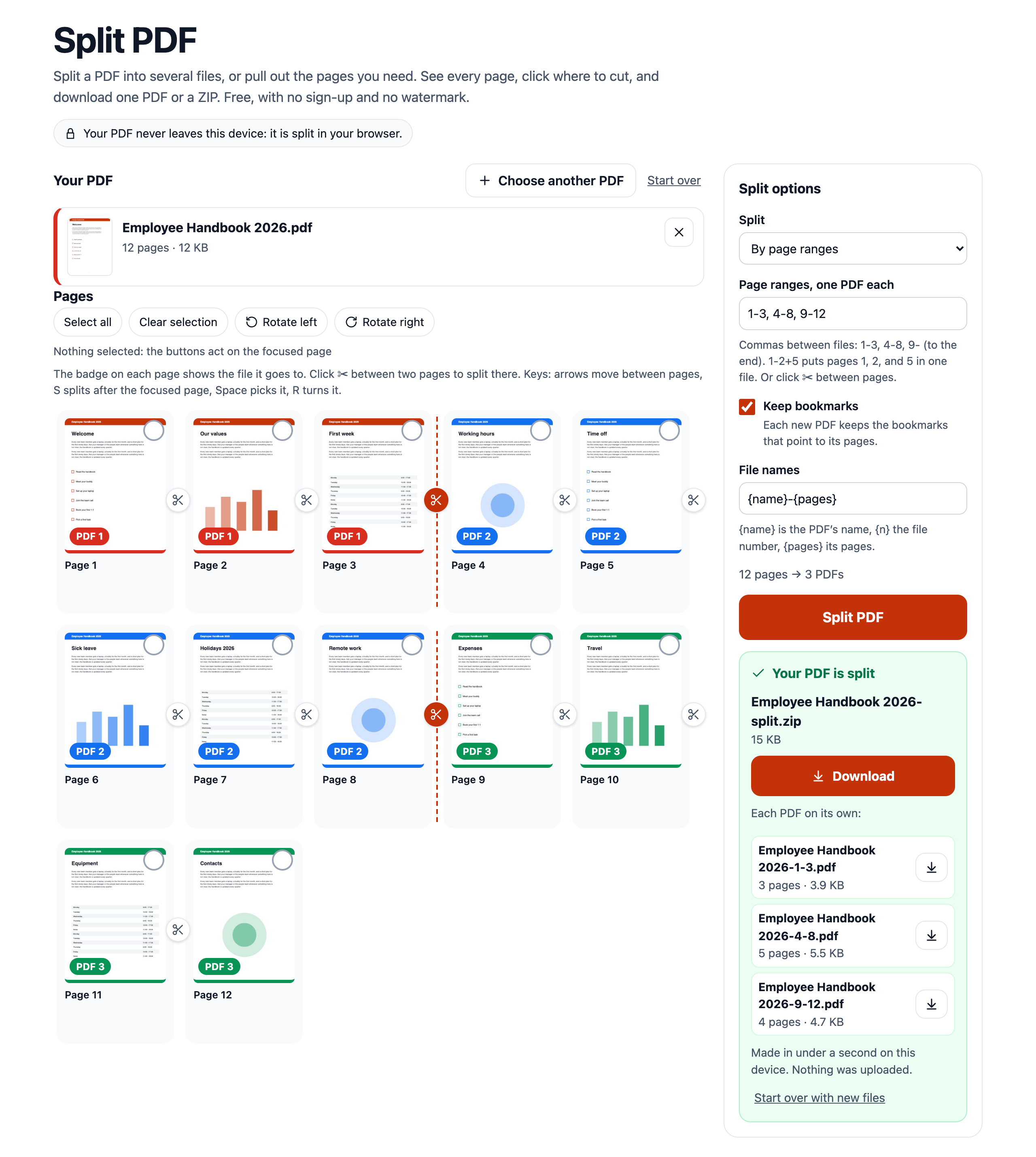
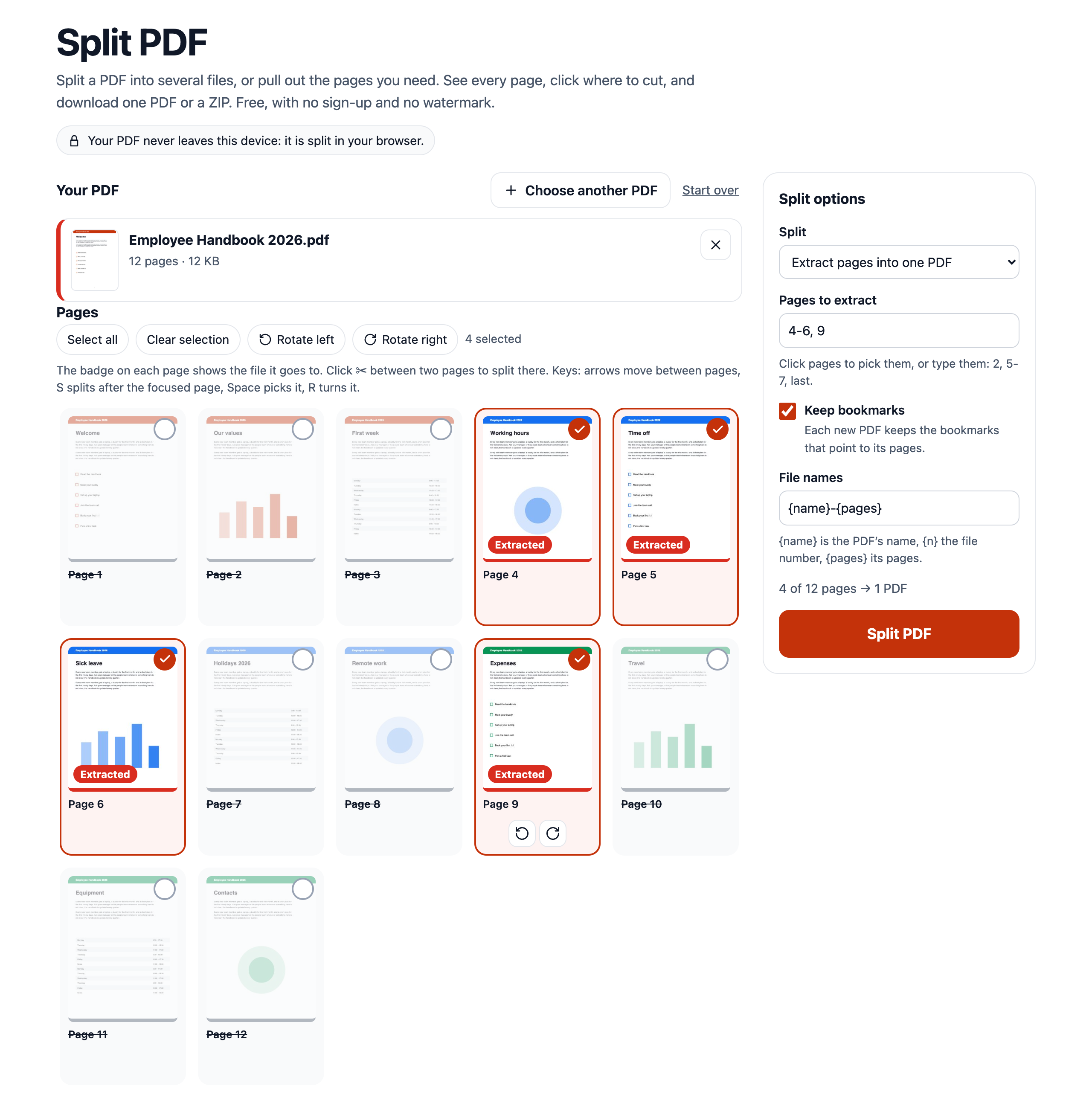
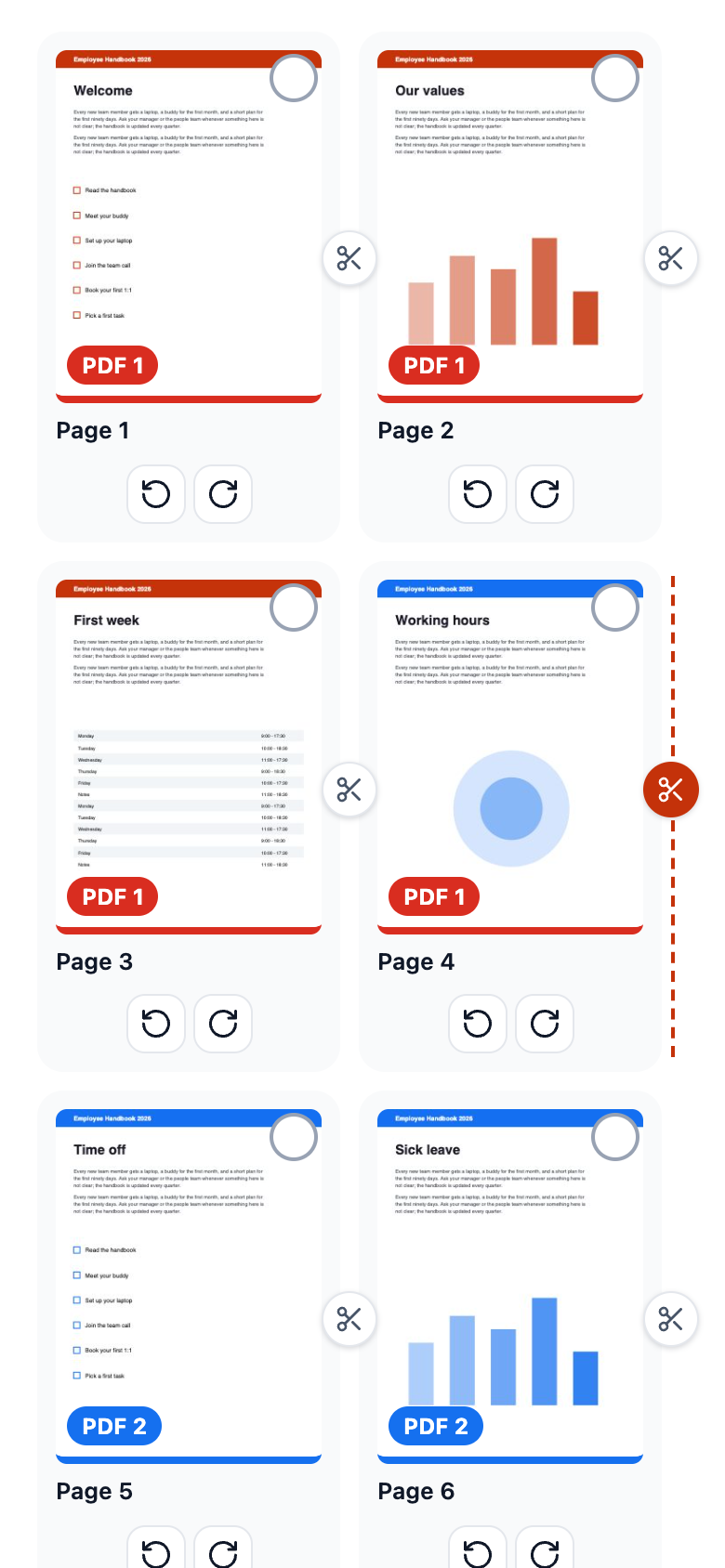
What it does: splits one PDF into several PDFs, or pulls the pages you need into a new one, right in the browser. Drop a PDF and pick how to split it: by page ranges like 1-3, 4-8, 9- (one PDF per range), every N pages, every page into its own PDF, or the pages you click into one PDF. A thumbnail of every page shows which new file it goes to, and the scissors between pages set the split points with one click. Pages are copied as they are, not printed again: text stays selectable and searchable, and links, fonts, and image quality do not change. Each new PDF keeps the bookmarks that point to its pages and carries only the fonts and images its own pages use, so parts of a big file stay small. Password-protected PDFs open when you type the password. Several files download as one ZIP, and each PDF also on its own. Nothing is uploaded: the file is read and split on the visitor's device, and the page keeps working offline once it has loaded.
Who it is for: anyone who needs part of a PDF: office workers sending one chapter of a report or one invoice from a monthly batch, students pulling the pages they need from lecture notes and scanned books, freelancers splitting a signed contract into its parts. It is also for site owners who want a private PDF splitter on their own domain, with no server to run and no per-task limits.
What you get: use it free in the live preview above, or take the whole tool: a one-page site for any static host (no build step, no server, no database, no API keys), the PDF engine as separate JavaScript modules you can reuse in your own code (opening encrypted PDFs, copying pages, split ranges, leaving unused fonts and images out, ZIP), one config file for the name, colours, and size limit, HTML documentation on hosting, settings, embedding with an iframe, and the engine API, and Node.js tests with sample files, including PDFs encrypted with RC4 and AES.
What you do: upload the split-pdf folder to your host (Cloudflare Pages, Netlify, Vercel, GitHub Pages, or your own server), open the page, and split. Change the name, colour, and limits in js/config.js.
Features
- The PDF never leaves the device: reading, decrypting, and splitting all happen in the browser, in a background worker
- Split by page ranges (
1-3, 4-8, 9-, one PDF each,1-2+5puts pages that are apart into one file), every N pages, or every page - Extract pages: click the pages you want, or type them (
2, 5-7, last), and get one PDF with just those pages - A thumbnail of every page with a badge for the PDF it goes to, pages left out are dimmed
- Scissors between pages: click (or press S) to add or remove a split point, works with touch too
- Lossless: pages are copied, so text, fonts, links, and image quality stay exactly as they were
- Small parts: each new PDF carries only the fonts and images its pages use (a 46 MB file whose pages share every image split into 20 PDFs of 2.3 MB each, not 46 MB each)
- Bookmarks stay with the pages they point to, form fields keep working
- Password-protected PDFs open with their password (RC4 40/128-bit, AES-128, AES-256), files with only editing restrictions open without one
- Turn pages before splitting, the new files keep the rotation
- File names from a pattern: the original name, the file number, the pages (
Report-1-3.pdf), safe on every system and never repeated - One PDF downloads as a PDF, several come as one ZIP and one by one
- Large files: a 289 MB PDF split in about 5 seconds and a 1,500-page PDF into 1,500 PDFs in under 3 seconds in Chrome, with the page staying responsive
- Clear messages for wrong ranges, empty, damaged, or non-PDF files, no watermark, no sign-up, no task or file-count limits
- Works with the keyboard, on phones, in Chrome, Firefox, and Safari, and inside an iframe (it reports its height)
Screenshots
Categories
Tags
Built with
 Free Video Downloader for Snapchat - Spotlight, Stories, and Highlights
Products of the Week.
Submit🥇

Costcodle
Costcodle is a free, daily price-guessing game for Costco shoppers who want to test their sense of value by estimating items within six tries.
Other · 302 views · 8 clicksOther · Week 43 · 302 views · 8 clicks
🥈

STOP GUESSING WHAT TO POST
AI that learns your brand voice and builds a month of consistent, on-brand social content: carousels, posts and hooks that sound like you, not like everyone else's AI.
SaaS · 673 views · 15 clicksSaaS · Week 43 · 673 views · 15 clicks
🥉

Hand-Placed Backlinks $9.99 per link. Flat rate.
Buy hand-placed forum, Q-A and directory backlinks. Flat $9.99 per link, no subscriptions — you only pay for approved listings.
Website · 660 views · 13 clicksWebsite · Week 43 · 660 views · 13 clicks
#4

autoadify.com
Autoadify helps businesses, creators, marketers, agencies, and ecommerce teams reduce the time spent creating, scheduling, approving, and publishing social media content. It combines AI content creation, automation, ecommerce workflows, and multi-platform publishing in one place, making social media management faster and easier to scale.
Other · 3,732 views · 9 clicksOther · Week 43 · 3,732 views · 9 clicks
#5

Ecomz AI | Multi-Tenant SaaS
Launch your own branded AI e-commerce platform without building the software from scratch. Ecomz AI provides a white-label, source-code/business-in-a-box solution that lets you offer merchants online stores, branded mobile apps for each shop, AI-powered sales and support agents, a unified inbox, a customisable drag-and-drop page builder, Ecomz Appstore integrations, and subscription plans you control under your own SAAS brand/hosting/business.
Other · 6,697 views · 18 clicksOther · Week 43 · 6,697 views · 18 clicks
#6

Whisper Notes - Best Offline
Whisper Notes turns speech into text entirely on your iPhone or Mac — no internet, no account, and your audio never leaves the device. Pick Whisper, Parakeet V3 or SenseVoice for 100+ languages, transcribe recordings and imported audio or video files with speaker labels, and on the Mac direct download hold Fn to dictate into any app. One-time purchase: $7.99 on iPhone, $14 on Mac, with 5,000 free words a week on Mac.
Other · 6,612 views · 14 clicksOther · Week 43 · 6,612 views · 14 clicks